We Ship to North America Free Shipping for Many Products
Tag: printing business guide

How to Fix Common Large Format Printing Issues

Large format printing is widely used for banners, signage, posters, wall graphics, and displays. It allows businesses to produce bold visuals that attract attention and support branding efforts. However, large format printing also comes with technical challenges that can affect print quality, production speed, and costs. Understanding how to solve these common issues helps reduce waste, improve consistency, and maintain professional results. This article explains practical solutions to the most frequent problems encountered in large format printing.

What Is Large Format Printing

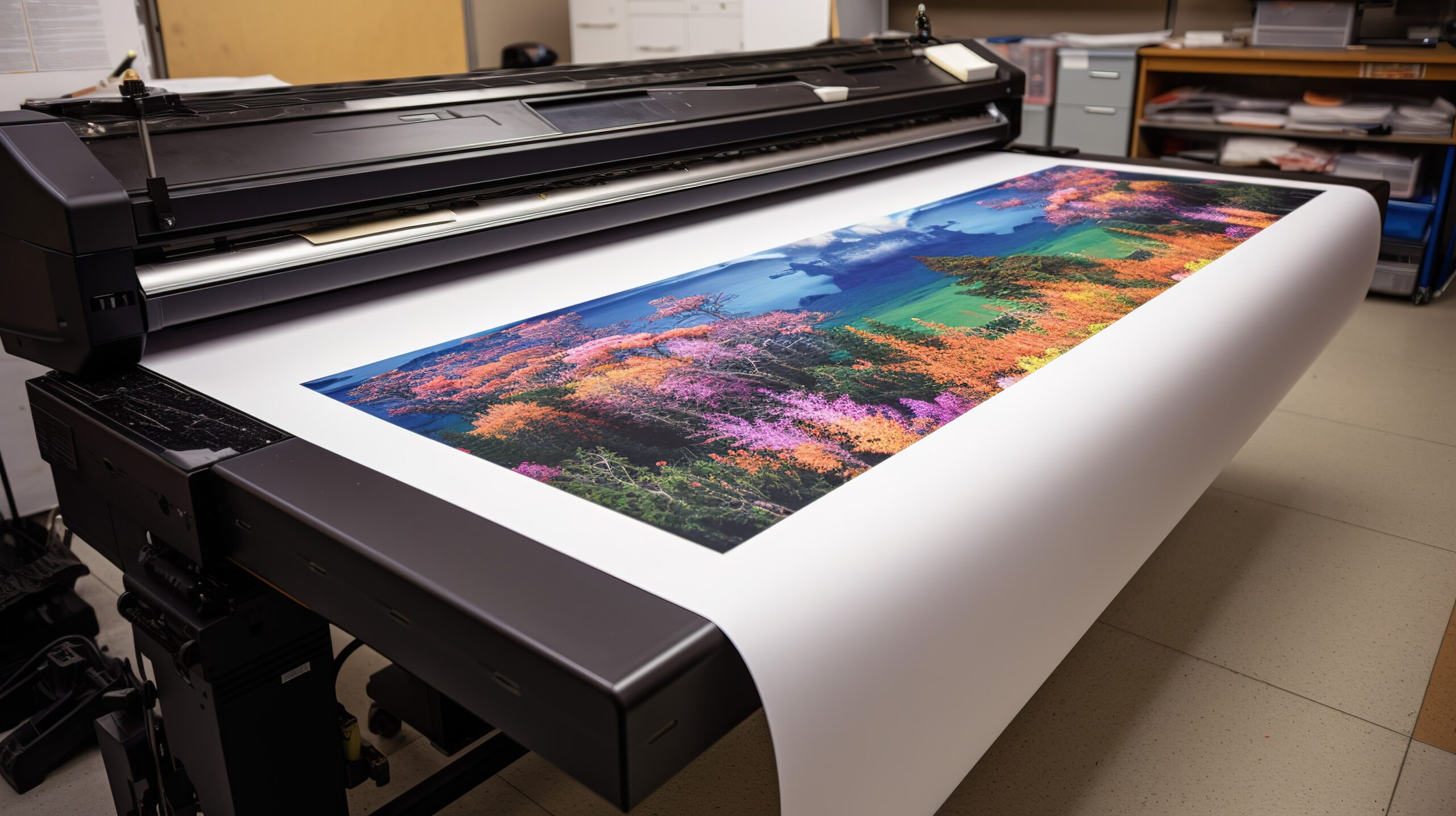
large format printing

Large format printing is a printing process designed for oversized materials beyond standard printer sizes. It uses specialized printers that handle wide media and high-resolution output. These printers work with materials such as vinyl, canvas, fabric, paper, and rigid boards. Industries like advertising, retail, construction, and events rely on large format printing for visual communication and promotion.

Improving Image Resolution Issues

Low image resolution is a common issue when printing large graphics. Solving this problem starts with proper file preparation.

  • Use high-resolution images suitable for large-scale output.
  • Avoid enlarging small images beyond their original size.
  • Request original design files instead of compressed images.
  • Check resolution before printing to prevent pixelation.

Clear and sharp images ensure professional-looking prints at any size.

Fixing Colour Inconsistency Problems

Roland Eco-UV Ink Cartridges

Colour differences between screen and print can frustrate both printers and clients. Correct colour management helps achieve accurate results.

  • Convert files from RGB to CMYK before printing.
  • Calibrate monitors regularly to match print output.
  • Use correct ICC colour profiles for each printer and media.
  • Perform test prints to verify colour accuracy.

Consistent colour control improves brand reliability and visual appeal.

Preventing Banding and Streaking

Banding and streaking reduce print quality and signal printer issues. Regular maintenance and correct settings help prevent these defects.

  • Clean print heads according to manufacturer guidelines.
  • Adjust print speed settings for smoother ink distribution.
  • Use recommended ink and media combinations.
  • Run nozzle checks before starting large print jobs.

These steps help maintain smooth and even print output.

Reducing Ink Smudging and Bleeding

Ink smudging and bleeding occur when ink fails to dry or adhere properly. Adjusting materials and environment solves this issue.

  • Select ink types compatible with the chosen media.
  • Reduce ink density when printing on absorbent materials.
  • Allow sufficient drying or curing time before handling prints.
  • Control humidity levels in the printing area.

Proper ink control ensures clean edges and sharper designs.

Solving Media Feeding Problems

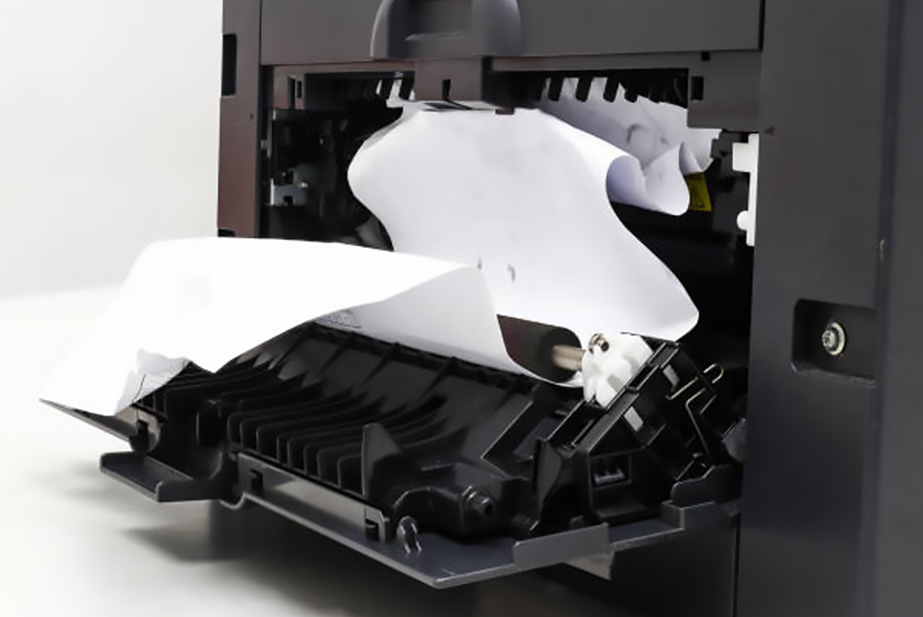
Printer - Paper Jamming

Media feeding issues cause misalignment and wasted materials. Proper setup and handling reduce these problems.

  • Load media straight and secure it correctly.
  • Adjust tension settings based on material thickness.
  • Inspect rollers for dirt or wear regularly.
  • Store media rolls properly to prevent warping.

Correct feeding ensures accurate and consistent print alignment.

Choosing Compatible Materials

Material compatibility directly affects print quality and durability. Using the right materials prevents many common failures.

  • Match ink types with approved media surfaces.
  • Test new materials before full production runs.
  • Avoid low-quality substrates that absorb ink unevenly.
  • Follow manufacturer recommendations for media use.

Compatible materials improve colour vibrancy and print lifespan.

Preventing Ink Clogging and Print Head Damage

Ink clogging reduces output quality and increases maintenance costs. Preventive care keeps print heads functioning properly.

These practices extend print head life and improve consistency.

Correcting File Setup and Scaling Errors

File setup mistakes lead to incorrect sizing and cut-off designs. Proper preparation avoids costly reprints.

  • Set the correct document size and scale before exporting files.
  • Include bleed and crop marks when required.
  • Outline fonts to prevent text issues.
  • Double-check dimensions against final output size.

Accurate file setup saves time and materials.

Managing Drying and Curing Time

Slow drying can delay production and damage finished prints. Planning and environmental control reduce curing problems.

  • Allow recommended drying time for each ink type.
  • Avoid stacking prints immediately after printing.
  • Maintain proper airflow around printed materials.
  • Adjust ink limits to reduce excessive ink buildup.

Controlled drying ensures clean and durable prints.

Controlling Environmental Conditions

Temperature and humidity affect both printers and materials. Managing the print environment improves reliability.

  • Maintain stable temperature levels in the print room.
  • Keep humidity within recommended ranges.
  • Reduce dust and airborne particles near printers.
  • Use climate control systems when necessary.

A stable environment supports consistent print quality.

Improving Finishing and Installation Results

Poor finishing reduces the value of large format prints. Careful handling improves the final presentation.

  • Apply lamination evenly to prevent bubbles.
  • Use proper cutting tools for clean edges.
  • Choose adhesives suited to the installation surface.
  • Train installers on correct mounting techniques.

Good finishing enhances durability and visual impact.

Maintaining Large Format Printing Equipment

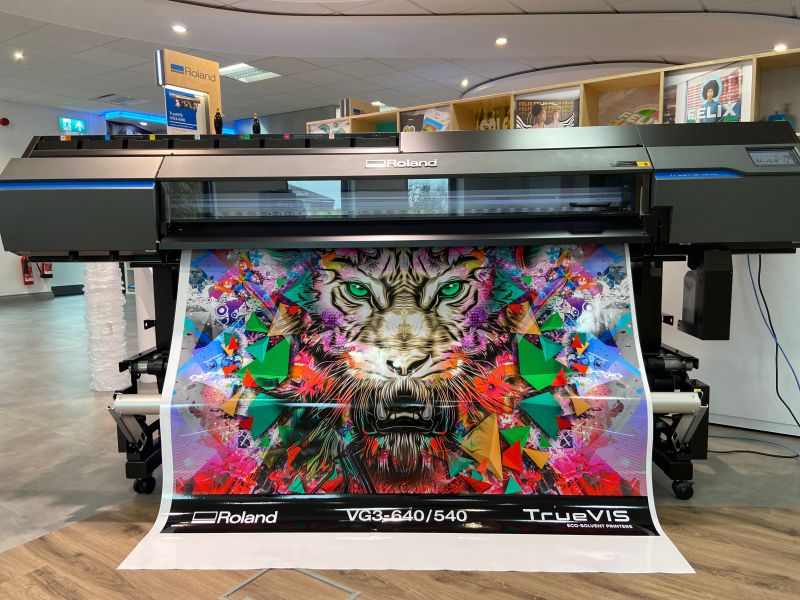
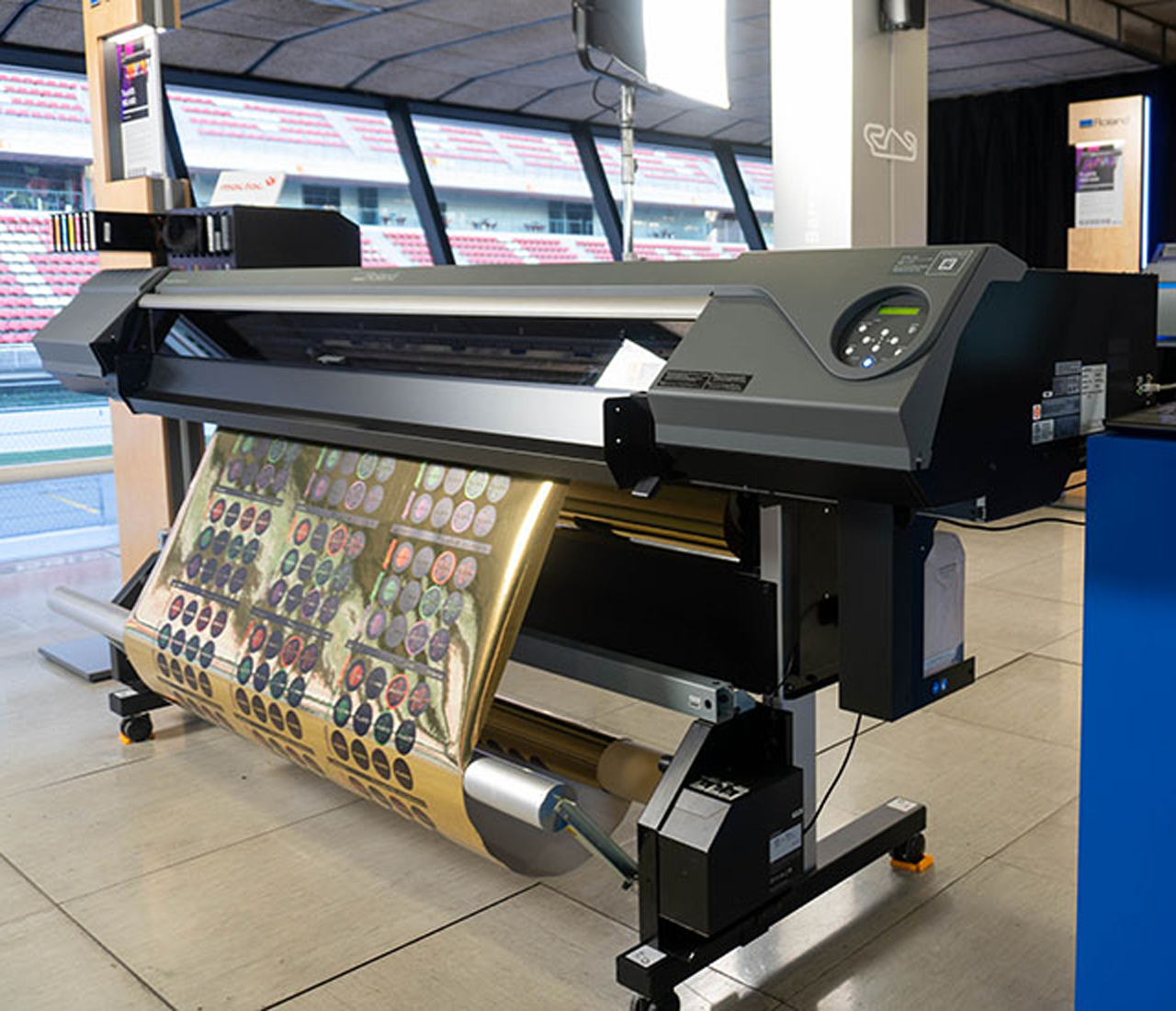
Roland TrueVIS Pro XP-640

Regular maintenance prevents breakdowns and production delays. A consistent care routine improves machine performance.

  • Follow scheduled maintenance tasks from the manufacturer.
  • Inspect parts for wear and replace them early.
  • Clean internal components regularly.
  • Keep maintenance logs for tracking issues.

Proper upkeep reduces downtime and repair costs.

Managing Costs and Reducing Waste

Large format printing can become expensive without proper control. Smart planning helps reduce unnecessary expenses.

  • Perform test prints before full production.
  • Monitor ink usage and adjust settings.
  • Reuse leftover materials when possible.
  • Schedule jobs efficiently to reduce setup waste.

Cost management improves profitability and efficiency.

Improving Workflow and Quality Control

A smooth workflow reduces errors and delays. Clear processes improve output consistency.

  • Standardize file preparation procedures.
  • Assign quality checks at each production stage.
  • Document settings for repeat jobs.
  • Communicate clearly with clients about requirements.

Strong workflows ensure reliable and repeatable results.

Solving common issues in large format printing requires attention to preparation, equipment, materials, and environment. Problems such as colour inconsistency, banding, media feeding errors, and ink issues can be minimized through proper setup and maintenance. By following best practices and preventive measures, businesses can improve print quality, reduce waste, and meet production deadlines. With the right approach, large format printing becomes a dependable and effective solution for visual communication.


Are you in the process of starting or expanding your large format printing business and in need of expert guidance on purchasing the right printing machine? Look no further! Our team of industry experts is here to provide you with valuable insights and expert opinions to help you make the best decision for your business. With a deep understanding of the large format printing industry, we can assist you in selecting the ideal printing machine that meets your specific requirements and budget. Contact us today for a personalized consultation and let us help you make the right investment for your business’s growth and prosperity.

Tag: printing business guide

How to Start a Digital Printing Business

In the digital age, personalized and on-demand printing is more in demand than ever before. From business cards and brochures to custom T-shirts, mugs, and banners, digital printing services are sought by businesses, events, and individuals alike. Starting a digital printing business can be a profitable venture, provided you plan wisely and execute effectively. Here’s a comprehensive guide to help you get started.

What is Digital Printing

Digital printing is a modern method of printing that transfers digital images directly onto various media surfaces without the need for traditional printing plates. Unlike offset printing, which involves a more complex setup, digital printing uses advanced inkjet or laser printers to produce high-quality prints quickly and efficiently. This technology is ideal for short runs, customized designs, and on-demand production, making it popular for printing everything from business cards and flyers to custom apparel, packaging, and promotional materials. Its speed, flexibility, and cost-effectiveness make digital printing a cornerstone of today’s print industry.

Key Steps to Launch Your Digital Printing Business

Starting a digital printing business requires more than just owning a printer—it involves thoughtful planning, the right equipment, and a clear strategy. Before diving into production, it’s important to lay a strong foundation by understanding your market, defining your services, and preparing your workspace and materials. Here are the essential steps to help you get started on the right foot.

1. Understand the Market

Before diving in, it’s essential to understand the digital printing industry. Research current trends, target audiences, and key service demands in your area. Are local businesses in need of marketing materials? Is there a market for custom apparel or merchandise? Will you cater to walk-in customers, businesses, or online shoppers?

Identify your niche early—corporate branding, event merchandise, personalized gifts, or marketing materials. Choosing a niche allows you to tailor your services and marketing strategies effectively.

2. Create a Business Plan

Every successful business starts with a solid plan. Your digital printing business plan should cover:

  • Business name and structure (sole proprietorship, LLC, etc.)
  • Services offered (e.g., T-shirt printing, flyers, posters, banners)
  • Target market
  • Pricing strategy
  • Startup and operating costs
  • Marketing and sales strategies
  • Revenue projections

A clear plan helps secure financing, keeps you focused, and guides your business development.

3. Choose the Right Equipment

Your equipment determines your service range and quality. Here are the common tools and machines you’ll need:

  • Digital printers (inkjet or laser for paper materials)
  • DTG (Direct-to-Garment) printer for custom apparel
  • Heat press machine for transfer printing
  • Cutting machines for stickers and decals
  • Laminators and binding machines for finishing services
  • A computer with design software like Adobe Illustrator or CorelDRAW

Invest in reliable, scalable equipment. If budget is a concern, consider buying refurbished machines or starting with a narrower range of services.

4. Set Up Your Workspace

Depending on your business model, you may work from a home studio, small office, or storefront. Your space should be:

  • Well-ventilated, especially when using inks and heat presses
  • Organized, with designated areas for printing, finishing, and packaging
  • Accessible, if you plan to accept walk-in customers

Ensure you comply with local zoning and safety regulations, and get any necessary permits.

5. Source Quality Materials

The quality of your prints depends on the materials you use—paper, fabric, ink, and substrates. Work with reputable suppliers to ensure consistency. Some factors to consider:

  • Paper weight and finish (glossy, matte, etc.)
  • Ink compatibility with printers
  • Fabric quality for apparel
  • Specialty materials like vinyl, canvas, or plastic

Buy in bulk for cost efficiency, but test samples first to ensure compatibility with your equipment.

6. Build an Online Presence

In today’s market, having an online presence is essential. Develop a professional website where customers can view products, request quotes, and place orders. Include:

  • A portfolio of past work
  • Service descriptions
  • An online store if offering e-commerce
  • Contact details and customer service information

Social media is another powerful tool. Use platforms like Instagram, Facebook, and TikTok to showcase your work, share behind-the-scenes content, and engage with potential clients.

7. Market Your Services

Effective marketing can make or break a new business. Combine online and offline strategies:

  • Local SEO and Google My Business listings
  • Flyers and brochures for nearby businesses
  • Email marketing to build customer loyalty
  • Referral programs to encourage word-of-mouth
  • Networking at trade shows, fairs, and business events

Tailor your marketing to your niche. If you’re targeting small businesses, emphasize fast turnaround, branding consistency, and bulk discounts.

8. Offer Excellent Customer Service

Customer satisfaction leads to repeat business and referrals. Ensure:

  • Clear communication during order taking
  • Timely delivery and accurate prints
  • Responsive customer support
  • Flexible customization options

Consider offering free design templates or small add-ons to enhance perceived value.

9. Keep Learning and Innovating

The digital printing industry evolves rapidly. Stay updated with:

  • New printing technologies
  • Design trends and colour theory
  • Software updates
  • Sustainability practices like eco-friendly inks and papers

Take feedback seriously and look for opportunities to improve. Innovation helps you stay ahead of the competition.

10. Scale at Your Own Pace

Once your business is running smoothly, explore ways to expand:

  1. Add new services like embroidery, laser engraving, or large-format printing
  2. Offer design services or partner with freelance designers
  3. Hire staff to increase output and customer handling
  4. Open additional locations or expand online

Make sure growth aligns with customer demand and your capacity to deliver quality consistently.

Starting a digital printing business combines creativity, technology, and entrepreneurship. With the right equipment, planning, and dedication, you can build a successful business that caters to a wide range of personal and professional printing needs. Focus on quality, stay customer-oriented, and continue learning to thrive in this dynamic industry.

Are you seeking cutting-edge digital printers that combine speed, precision, and versatility to meet the demands of today’s dynamic market? Look no further. Explore our range of state-of-the-art digital printers that promise not just efficiency but a transformative printing experience. Contact us today and discover how our advanced solutions can take your business to new heights.

Tag: printing business guide

Printing 101: Tips for Successful Vinyl Printing

Vinyl printing has become a versatile and popular method for creating custom designs on various surfaces, from banners and signs to car decals and home decor. Known for its durability, vibrant colours, and adaptability, vinyl printing caters to businesses, event organizers, and individuals seeking creative ways to express themselves or promote their brand. However, achieving professional results requires knowledge, preparation, and tools. This article provides essential tips for mastering vinyl printing, including choosing the right materials, preparing designs, using the right equipment, and ensuring long-lasting results.

What Is Vinyl Printing?

Vinyl printing involves transferring designs onto vinyl material using specialized printers and techniques. This method is commonly used to create vibrant, durable graphics for various applications, including stickers, decals, banners, signs, and apparel. Depending on the desired outcome, the vinyl material is either printed with eco-solvent or UV inks or cut into shapes using cutting machines. Known for its weather resistance and versatility, vinyl printing is popular for both indoor and outdoor uses, offering high-quality, long-lasting results.

Tips to Achieve Quality Vinyl Printing

1. Choose the Right Type of Vinyl

Selecting the right type of vinyl is crucial for the success of your project. Different types of vinyl are suited for various applications:

  • Adhesive Vinyl: Best for stickers, decals, and outdoor signage. Available in permanent and removable options, adhesive vinyl works well on smooth surfaces such as glass, plastic, and metal.
  • Heat Transfer Vinyl (HTV): Ideal for fabrics and textiles. HTV is applied using heat and pressure, making it perfect for custom T-shirts, hats, and bags.
  • Cast vs. Calendered Vinyl: Cast vinyl is thinner, more durable, and suited for long-term outdoor use, such as vehicle wraps. Calendered vinyl is thicker and better for short- to medium-term indoor projects.

2. Use High-Quality Design Software

Creating a high-resolution design is the foundation of great vinyl printing. Use professional graphic design software like Adobe Illustrator, CorelDRAW, or Silhouette Studio to ensure crisp, detailed designs. Always save your design in a vector format (e.g., SVG, AI, or EPS) to maintain quality during scaling.

When designing:

  • Clean, bold designs work best, especially for small-scale prints like stickers or decals.
  • Ensure the design colours contrast well with the background to make it stand out.
  • Use grids and guides to align text and images properly.

3. Calibrate Your Printer

TrueVIS Vinyl Printing

Proper calibration of your printer is essential to ensure colour accuracy and print quality. Use a test print to check for alignment, resolution, and colour consistency before starting a large batch.

Eco-Solvent or UV Printers are the best for vinyl printing as they provide waterproof, fade-resistant prints with vibrant colours. Make sure to use the correct resolution, drying time, and ink density based on the type of vinyl you’re using.

4. Prepare the Vinyl Properly

Before printing, ensure the vinyl is clean, dust-free, and flat to avoid imperfections in the final output. Any dirt or creases on the vinyl can affect the adhesion and quality of the print. Trim the material to fit your printer or cutting machine to avoid waste. Before committing to a large print, run a small test print to confirm the quality and ensure the ink adheres properly.

5. Invest in a Quality Cutting Machine

A cutting machine is essential for precision when working with vinyl. Tools like Cricut, Silhouette, or professional-grade cutting plotters ensure clean, accurate cuts for intricate designs.

Note: Make sure to adjust the blade depth, speed, and pressure based on the thickness of your vinyl. After cutting, use weeding tools to remove unwanted vinyl pieces from the design for a polished look.

6. Ensure Proper Application

Applying vinyl to the intended surface correctly is just as important as the printing process itself.

  • Remove dirt, dust, and grease from the application area to ensure the vinyl adheres well.
  • For decals and intricate designs, transfer tape helps align and place the vinyl accurately on the surface.
  • Use a squeegee or application tool to smooth out the vinyl, eliminating air bubbles and ensuring strong adhesion.

7. Use Protective Coatings

For outdoor applications, consider using a laminate or clear coat to protect the vinyl from UV rays, scratches, and weather damage. Laminating your vinyl print not only increases its lifespan but also enhances its appearance with a glossy or matte finish.

8. Avoid These Common Mistakes

Vinyl printing can be challenging, especially for beginners. Here are some common pitfalls to avoid:

  • Using the Wrong Vinyl Type – Make sure the vinyl matches the intended surface and purpose (e.g., don’t use HTV on a hard surface).
  • Skipping Test Prints – Always print a sample before starting a large project to catch any issues early.
  • Ignoring Temperature Settings – If using HTV, set the correct temperature and pressure on your heat press to avoid damaging the vinyl or fabric.

9. Maintain Your Equipment

Regular maintenance of your printer and cutting machine ensures consistent quality and prevents breakdowns. Clean Your Printer Heads since residue buildup can affect print quality; clean the heads regularly. Dull cutting blades can result in uneven cuts, so replace them as needed. Keep your vinyl in a cool, dry place to prevent warping or adhesive degradation.

10. Experiment and Learn

Don’t be afraid to experiment with different techniques, materials, and finishes to find what works best for your projects. Vinyl printing is a skill that improves with practice, and staying up to date with industry trends and innovations will help you stay ahead.

Final Products Through Vinyl Printing

Vinyl printing produces a wide range of custom products tailored to specific needs. Some of the common final products include:

  • Car decals
  • Promotional stickers
  • Wall graphics
  • Window displays
  • Event signage.

It also creates heat-transfer vinyl (HTV) designs for apparel such as T-shirts, hats, and bags. Businesses use vinyl-printed materials for branding and advertising, while individuals enjoy using them for home decor and personal projects. These products are valued for their durability, vibrant colours, and adaptability to various surfaces and applications.

Vinyl printing offers endless possibilities for creative and commercial projects, from custom stickers and decals to promotional banners and apparel. By following these tips—choosing the right materials, ensuring accurate design and print settings, and mastering the application process—you can achieve professional-quality results every time. With practice, patience, and the right tools, vinyl printing can become a rewarding and profitable venture for both beginners and seasoned creators.

If you’re envisioning a successful venture in the world of vinyl printing, look no further. PRINTFINISH is here to support your journey every step of the way. Let’s turn your vinyl printing business into a thriving reality. Contact us today to explore the endless possibilities that vinyl printing can offer your enterprise.

Tag: printing business guide

Top 10 Benefits of Investing in High-Quality Commercial Printers

Investing in high-quality commercial printers can be a game-changer for businesses across various industries, from retail and manufacturing to education and healthcare. Even for a printing business, having a dependable, top-tier printer can provide more than just basic functionality; it can enhance productivity, reduce costs, and support business growth. Here’s a look at the top 10 benefits of investing in a high-quality commercial printer.

large format printing

1. Superior Print Quality

High-quality commercial printers are designed to produce sharp, vibrant prints with precise colour accuracy and clear detail. This level of quality is essential for professional documents, presentations, marketing materials, and branded communications. With advanced printing technology, commercial printers ensure that every print job meets high standards, enhancing the business’s image and professionalism.

2. Improved Efficiency and Speed

Commercial printers are built to handle high print volumes rapidly, significantly reducing the time spent waiting for print jobs. These printers are equipped with faster processing speeds and robust paper-handling capabilities, allowing businesses to maintain productivity even during peak times. Faster print speeds also mean that employees can spend more time focusing on core tasks, rather than managing print queues.

3. Cost Savings Over Time

While high-quality commercial printers may have a higher initial investment, they often result in long-term cost savings. With more durable components and lower failure rates, these printers minimize the need for frequent repairs or replacements. Additionally, many commercial printers offer features that help reduce ink and toner consumption, saving money on supplies.

4. Enhanced Security Features

Data security is crucial for any business, especially in sensitive information sectors. Many high-quality commercial printers come with built-in security features, such as user authentication, encryption, and secure print release. These features help protect confidential documents, prevent unauthorized access, and comply with industry regulations for data privacy.

5. Greater Customization and Functionality

Commercial printers offer a wide range of customization options that allow businesses to adapt printing capabilities to their specific needs. Many models support multiple paper sizes, specialty finishes, and complex layouts. Advanced features like duplex printing, stapling, folding, and binding enable businesses to produce professional-quality documents in-house, reducing the need to outsource printing projects.

6. Reduced Downtime and Maintenance Costs

High-quality commercial printers are designed for durability and reliability, meaning they are less likely to break down or require constant repairs. These printers have components made to withstand frequent use, so they last longer and perform better under demanding conditions. Reduced downtime translates to more productivity and fewer interruptions, helping businesses meet deadlines and keep operations running smoothly.

7. Environmentally Friendly Options

resin inks

Many commercial printers now have eco-friendly options, such as energy-saving modes, recyclable toner cartridges, and reduced power consumption. This is particularly beneficial for businesses looking to reduce their environmental impact. Additionally, features like duplex printing help conserve paper, and newer ink technologies can produce high-quality prints with less waste, supporting sustainability efforts.

8. Scalability to Meet Business Growth

As businesses grow, their printing needs often expand as well. High-quality commercial printers are built to accommodate increasing print demands, with some models able to support high monthly print volumes without performance degradation. This scalability ensures that businesses won’t need to replace their printer frequently, making it a valuable long-term investment.

9. Versatile Printing Capabilities

Commercial printers provide businesses with versatile printing options, which is especially useful for industries that require various print formats, such as marketing agencies, schools, or graphic design firms. High-quality printers can handle everything from basic black-and-white documents to full-colour presentations, posters, banners, and other specialty materials. This versatility makes it easy to meet a wide range of business needs without relying on multiple devices.

10. Enhanced Employee Productivity

The combination of speed, efficiency, and reliability that commercial printers provide significantly boosts overall employee productivity. Instead of dealing with printer issues, waiting for jobs to complete, or struggling with low-quality prints, employees can quickly get their print jobs done and return to their primary responsibilities. Additionally, modern commercial printers often come with user-friendly interfaces and wireless printing capabilities, making it easier for employees to print from any device or location within the workplace.

Investing in a high-quality commercial printer brings a host of advantages that go beyond mere functionality. From enhanced print quality and security to cost savings and increased productivity, a dependable commercial printer can be a powerful asset to any business. While the initial investment may be higher than consumer-grade models, the long-term benefits—such as reliability, scalability, and operational efficiency—make it worthwhile. As businesses continue to seek ways to operate more efficiently, improve their professional image, and support environmental goals, investing in a top-tier commercial printer is an effective and strategic choice.

Are you in the process of starting or expanding your large format printing business and in need of expert guidance on purchasing the right printing machine? Look no further! Our team of industry experts is here to provide you with valuable insights and expert opinions to help you make the best decision for your business. With a deep understanding of the large format printing industry, we can assist you in selecting the ideal printing machine that meets your specific requirements and budget. Contact us today for a personalized consultation and let us help you make the right investment for your business’s growth and prosperity.

Tag: printing business guide

Introducing TrueVIS MG Series UV Printer/Cutters

When it comes to printing technology, UV printers have emerged as powerful tools that seamlessly blend precision printing. And some even feature intricate cutting capabilities. This innovative amalgamation brings a new dimension to wide-format printing, allowing businesses to create vibrant, detailed graphics with the added advantage of precise contour cutting. UV printers and cutters have revolutionized the production process, enabling the seamless transition from printing to cutting within a single, efficient workflow. As we delve into the capabilities and applications of UV printers/cutters, we unravel a world of possibilities where vibrant designs come to life with unparalleled precision and versatility.

What is a UV Printer/Cutter?
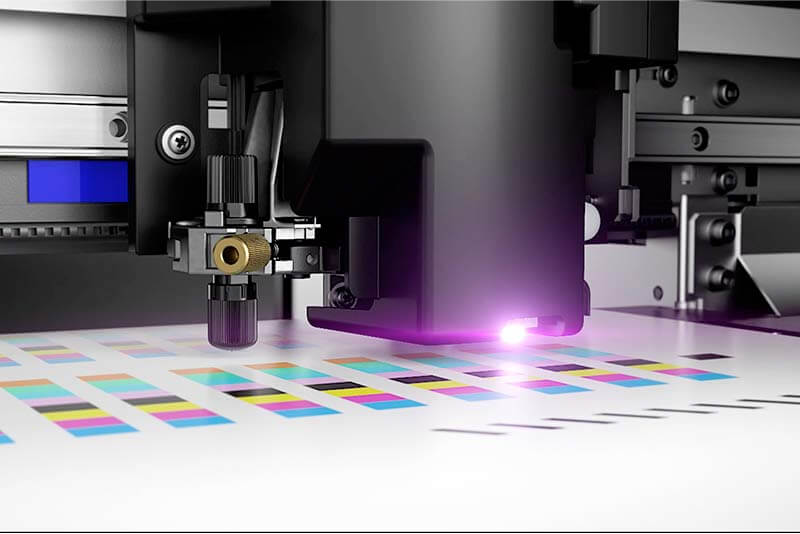
What is UV printer

A UV printer/cutter is a cutting-edge technology that combines the capabilities of a UV printer and a precision cutter into a single, integrated machine. UV printing utilizes ultraviolet light to cure inks instantly, resulting in vibrant and durable prints on various materials, including rigid substrates and flexible media. The addition of a cutting plotter allows for intricate contour cutting, enabling the creation of precisely shaped graphics and signage.

This innovative hybrid device is designed to streamline the production process, offering a seamless transition from printing to cutting without the need for manual intervention. UV printers/cutters find extensive use in the wide-format printing industry, catering to applications such as signage, labels, decals, and promotional materials. The versatility of these machines empowers businesses to achieve high-quality, visually striking prints with the added benefit of precision cutting, opening up new possibilities for creative and professional outputs.

Roland’s TrueVIS MG 300/640 Series UV Printer/Cutters

Roland DG, a leading provider of innovative digital printing and cutting solutions, introduces the latest innovation in the world of printing technology—the TrueVIS MG 300/640 Series UV Printer/Cutters. This cutting-edge machine represents a leap forward in precision and versatility, seamlessly integrating UV printing and precise cutting capabilities. With the power of instant UV ink curing, our new model ensures vibrant and durable prints on a wide array of materials, from rigid substrates to flexible media. The addition of a precision cutter allows for intricate contour cutting, empowering businesses to create precisely shaped graphics with ease. The MG Series is designed to elevate the printing and cutting experience, offering a comprehensive solution for producing high-quality, visually striking materials across diverse applications.

TrueVIS is synonymous with industry-leading print-and-cut machines. Enhance your capabilities with the added power of premium-quality UV-LED printing technology and specialty effects capabilities to offer your customers even more products. The TrueVIS MG series combines the flexibility of print and cut, the benefits of UV-LED printing and TrueVIS heritage, adding a new dimension to graphics printing.

High-Quality Ink

Using the latest ECO-UV EUV5 inks for exceptional and premium-value printing, we go beyond CMYK to give you even more options and flexibility. Also, Roland DG EUV5 inks have met industry-standard Type II certifications for popular non-PVC wall covering materials*, ideal for commercial and hospitality applications.

One-Pass Multilayer Printing

Print 3 layers in a single job, even in large-format or lengthy print runs, with accurate and stable output. The following layer combinations can be selected:

  • Colour – White – Colour
  • White – Colour – Gloss (Matte Varnish)
  • Primer – White – Colour
  • Primer – Colour – White

Extension Table for Semi-rigid Card

Get more stability and accuracy when printing onto thicker card stock with the ET-64/30 extension table.

This provides a firm platform which supports semi-rigid media or folding carton paper stocks up to 1 mm as it is fed through the device allowing the simple production of packaging prototypes.

Tension Bar for Thin Films

The optional TB-30 tension bar adds stability when printing onto thinner media and films of 30 microns and above.  This provides an ideal solution for the fast and simple production of flexible packaging prototypes on OPP or PET films.

Powerful Software

MG Series includes VersaWorks 6, letting you produce print-and-cut output in a simple workflow. The latest edition offers powerful new 64-bit processing and RIP capabilities, plus easy, nesting, cropping, tiling and other features from the most popular RIP software. It also features new True Rich Color 3 preset, Nearest Color Finder, and Variation job function

Create cut data directly in VersaWorks 6 by extracting PDF data from your design file to use as a cut line — changing vector data into cut line data, merging multiple cut lines together, creating perf cut lines, and other intuitive features.

Professional Color Management

Match your customers’ colour with ease thanks to advanced RIP features.

ICC Profiles

Access Roland DG’s library of ICC profiles and find hundreds of profiles to match your needs.

Other Features

  • High-definition output
  • Specialty printing for textures and effects
  • Broad media compatibility
  • High-density white ink
  • Fast-drying prints for quick turnaround and finishing
  • Easy new drag-and-drop interface
  • Easy-to-operate control panel
  • Optional take-up unit enables unattended printing

In conclusion, the TrueVIS MG Series UV Printer/Cutter stands at the forefront of innovation, redefining the possibilities in the realm of printing technology. Its seamless integration of UV printing and precision cutting, coupled with the power of instant ink curing, makes it a game-changer for businesses seeking efficiency and creativity in their production processes. Elevate your printing experience with the TrueVIS MG Series UV Printer/Cutter —a reliable companion for achieving vibrant, high-quality prints and precisely crafted designs. Embrace the future of printing technology with [Company Name], where innovation meets precision.

If you are a potential business owner looking to venture into the world of large-format printing, PRINTFINISH is your ultimate partner for success. Our comprehensive range of cutting-edge printing and finishing solutions, coupled with our expertise and exceptional customer support, will empower your business to thrive in the competitive market. Whether you need advice on the best printing equipment, guidance on setting up your large format printing business, or assistance in choosing the perfect printer to suit your unique needs, our dedicated team is here to assist you every step of the way. Contact us today and unlock the full potential of your printing business with PRINTFINISH as your trusted partner.
Tag: printing business guide

Printing 101: What is a UV Printer?

When it comes to printers, there are various types of printing machines to choose from. One of which, UV printers, stand out as innovative solutions that have transformed the possibilities of graphic reproduction. UV, or ultraviolet, printing has gained prominence for its ability to create vibrant and durable prints on various materials. This article delves into the realm of UV printers, exploring their mechanisms, applications, and the unique advantages they bring to the world of digital printing. Whether you’re a printing enthusiast, a business owner seeking cutting-edge technology, or simply curious about the latest trends in the printing industry, understanding what UV printers entail opens the door to a realm of possibilities in high-quality and versatile printing.

What Is A UV Printer?

UV printers, short for ultraviolet printers, are a category of digital printing machines that use ultraviolet light to cure or dry inks and coatings instantly during the printing process. Unlike traditional printers like inkjet printers that rely on heat or absorption to dry inks, UV printers utilize UV light to initiate a chemical reaction, turning liquid ink into a solid on the surface of the printed material. This instantaneous curing process allows for faster production speeds and enables printing on a wide range of substrates, including rigid materials like glass, metal, and plastic.

UV printers are known for their versatility and the ability to produce high-quality prints with vibrant colours and sharp details. They are commonly used in various industries, including signage, packaging, promotional products, and interior decoration. The technology’s capacity to print on unconventional materials and its environmentally friendly characteristics, as UV inks typically contain fewer volatile organic compounds (VOCs), contribute to the widespread adoption of UV printers in the modern printing landscape.

Difference Between UV Printers and Other Types of Printers

UV printers differ significantly from other types of printers, such as traditional inkjet or laser printers, in terms of their technology, capabilities, and applications. Here are some key distinctions:

Instant Drying with UV Light

  • UV Printers: The defining feature of UV printers is their use of ultraviolet light to instantly cure or dry the ink as it is printed onto the substrate. This immediate curing process allows for quick production and the ability to print on a diverse range of materials, including rigid surfaces.
  • Inkjet and Laser Printers: Traditional inkjet and laser printers rely on heat or absorption to dry the ink onto paper. This process can be time-consuming, especially for high-volume printing, and is generally limited to flexible media like paper.

Versatility in Substrate Compatibility

  • UV Printers: UV printing excels in printing on both flexible and rigid materials, including glass, metal, plastic, and wood. The versatility of UV printers makes them suitable for applications beyond traditional paper-based printing.
  • Inkjet and Laser Printers: These printers are primarily designed for paper-based printing and may not be suitable for printing on rigid or unconventional materials.

Print Quality and Durability

  • UV Printers: UV printing offers high-quality prints with vibrant colours and sharp details. Additionally, UV-cured inks tend to be more durable and resistant to fading and scratching compared to traditional inks.
  • Inkjet and Laser Printers: While suitable for many applications, the print quality and durability of traditional printers may not match the standards set by UV printing, especially for applications requiring longevity and resilience.

Environmental Considerations

  • UV Printers: UV inks used in UV printing often contain fewer volatile organic compounds (VOCs), making them environmentally friendly compared to some traditional inks.
  • Inkjet and Laser Printers: The environmental impact of traditional printers depends on the type of ink or toner used, and some formulations may have higher VOC levels.

In summary, UV printers stand out for their immediate curing process, versatility in substrate compatibility, high print quality, and durability. These characteristics make UV printing a preferred choice for applications that demand precision, speed, and the ability to print on a wide range of materials. Traditional inkjet and laser printers, while suitable for many purposes, may not offer the same level of flexibility and resilience as UV printers.

Best UV Printers in 2023

Best UV Printers


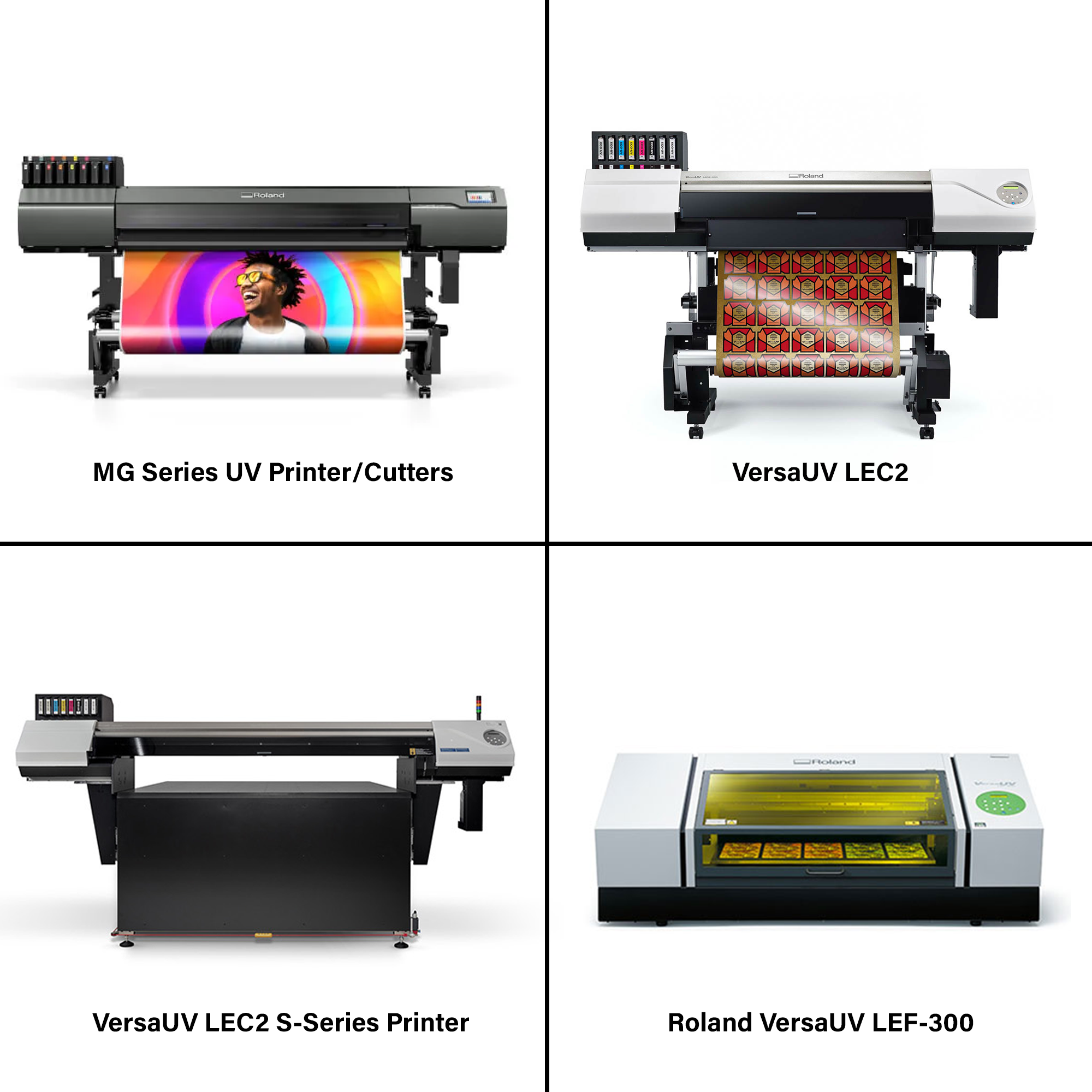
Here are some of the best UV printers offered by Roland DG Solutions:

Best Ink to Use for UV Printers

Choosing the best ink for UV printers is crucial for achieving optimal print quality, durability, and compatibility with various substrates. UV printers typically use UV-curable inks:

  • ECO-UV4 Inks – compatible with LEC series printers/cutters, LEJ‐640 printers, LEF series printers. ECO-UV4 is available in six colours (CMYK plus Gloss/White)
  • Roland DGA EUV5 Inks – Available with the new VersaUV LEC2 Printer/Cutter (excluding LEC2-300 model) and LEC2 S-Series Flatbed Printers, new EUV5 ink offers significant cost savings versus previous generations, as well as further safety enhancements.

UV printers represent a transformative leap in the world of digital printing, harnessing the power of ultraviolet light to redefine the possibilities of graphic reproduction. Their ability to deliver instant curing, exceptional print quality, and unparalleled versatility across a myriad of substrates has made them indispensable in various industries. Whether employed for vibrant signage, intricate promotional materials, or unique applications on rigid surfaces, UV printers have become the hallmark of innovation, ushering in a new era of efficiency and creativity in the dynamic realm of printing technology. As technology evolves, UV printers continue to illuminate new horizons, promising continued advancements and groundbreaking solutions in the ever-evolving landscape of digital printing.

Are you ready to elevate your wide-format printing capabilities and unlock a realm of possibilities? Invest in the cutting-edge technology of UV printers and experience a paradigm shift in print quality, versatility, and efficiency. Take the next step toward transforming your business by contacting us today. Our experts are ready to guide you through the process, ensuring that you make a well-informed decision tailored to your unique printing needs. Don’t miss out on the opportunity to redefine your printing capabilities – inquire now and embark on a journey of innovation and success!

Tag: printing business guide

Printing 101: What is Flatbed Ink Jet Printing?

When it comes to printing, the ability to create expansive prints on a wide range of materials has brought about a significant transformation in the industry. Central to this transformation lies flatbed digital printing. It stands as a revolutionary approach that has transformed the way we produce high-quality graphics and imagery on various surfaces. This innovative technique has redefined the possibilities of printing, offering exceptional versatility and precision. In this article, we delve into the intricate details of flatbed inkjet printing, exploring what it is, how it works, and its profound impact on industries ranging from signage and graphics to custom product decoration. Join us as we embark on a journey through the world of flatbed inkjet printing, where imagination knows no bounds.

What is Flatbed Ink Jet Printing?

Flatbed inkjet printing is a cutting-edge printing technology that enables the direct application of ink onto flat or nearly flat surfaces. Unlike traditional printing methods that rely on printing onto flexible substrates and then transferring the image, flatbed inkjet printers print directly onto the desired type of substrates, creating high-resolution graphics and images.

Flatbed inkjet printing is known for its versatility, as it can be used in various industries and applications, including outdoor signage, graphics, packaging, architectural renderings, and art reproduction. The ability to print on rigid and non-traditional materials makes it a go-to choice for those seeking high-quality, customized prints on a wide array of surfaces. This technology has opened up new horizons in the printing world, enabling large-format printing businesses and individuals to transform their creative visions into reality with exceptional precision and vibrant colour output.

How Flatbed Inkjet Printers Work

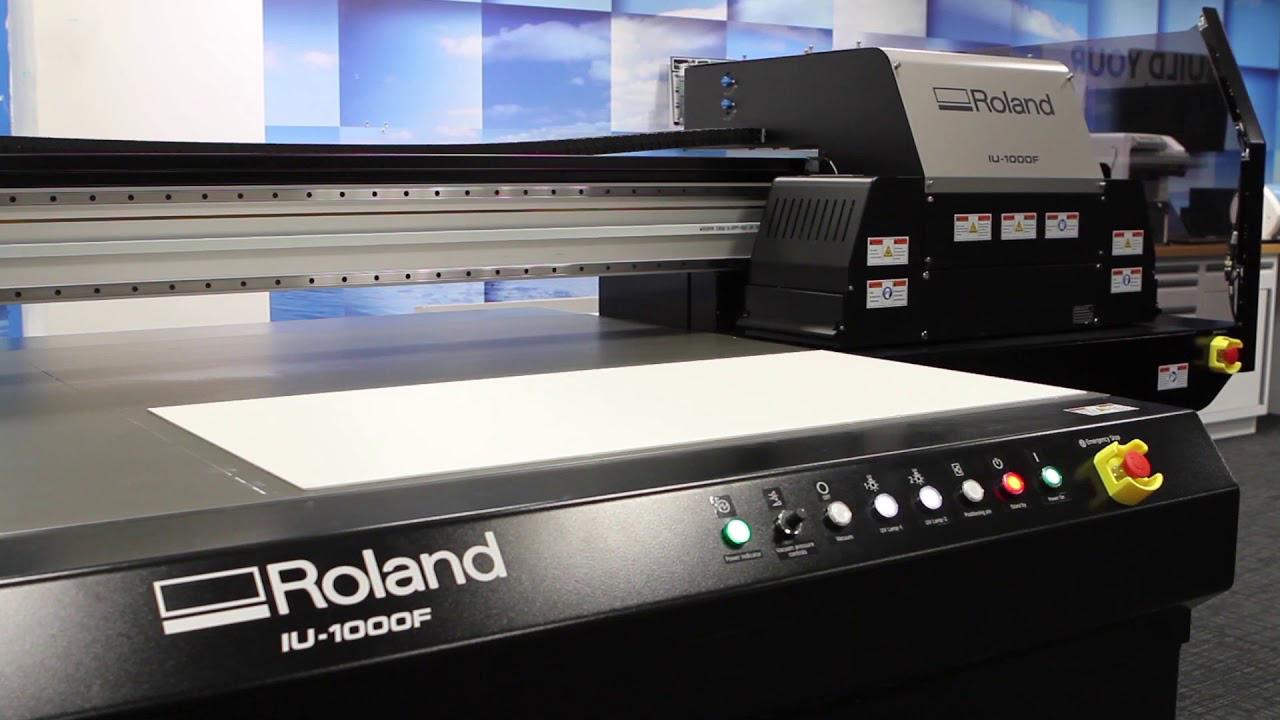
Flatbed printers employ vacuum tables to secure rigid or flexible sheets in position while an industrial-grade printhead jets the ink. These tables serve the dual purpose of stabilizing the substrates, ensuring they remain flat to maintain a consistent gap between the printheads and the material. Certain vacuum tables feature multiple print zones, enabling the system to print on various sizes of materials simultaneously.

Some flatbed printers have the capability to vary the size of ink droplets, resulting in high-quality images that exhibit intricate details and seamless transitions between shades. These printers can precisely place ink droplets, even over images previously printed using other printing methods. Most flatbed printers use “scanning” printheads that traverse back and forth across the width of the printed sheet.

Large Format Printing Products That Use Flatbed Ink Jet Printer


Flatbed inkjet printers are versatile tools that can produce a wide range of large-format printing products. Some of the common products and applications that use flatbed inkjet printing technology include:

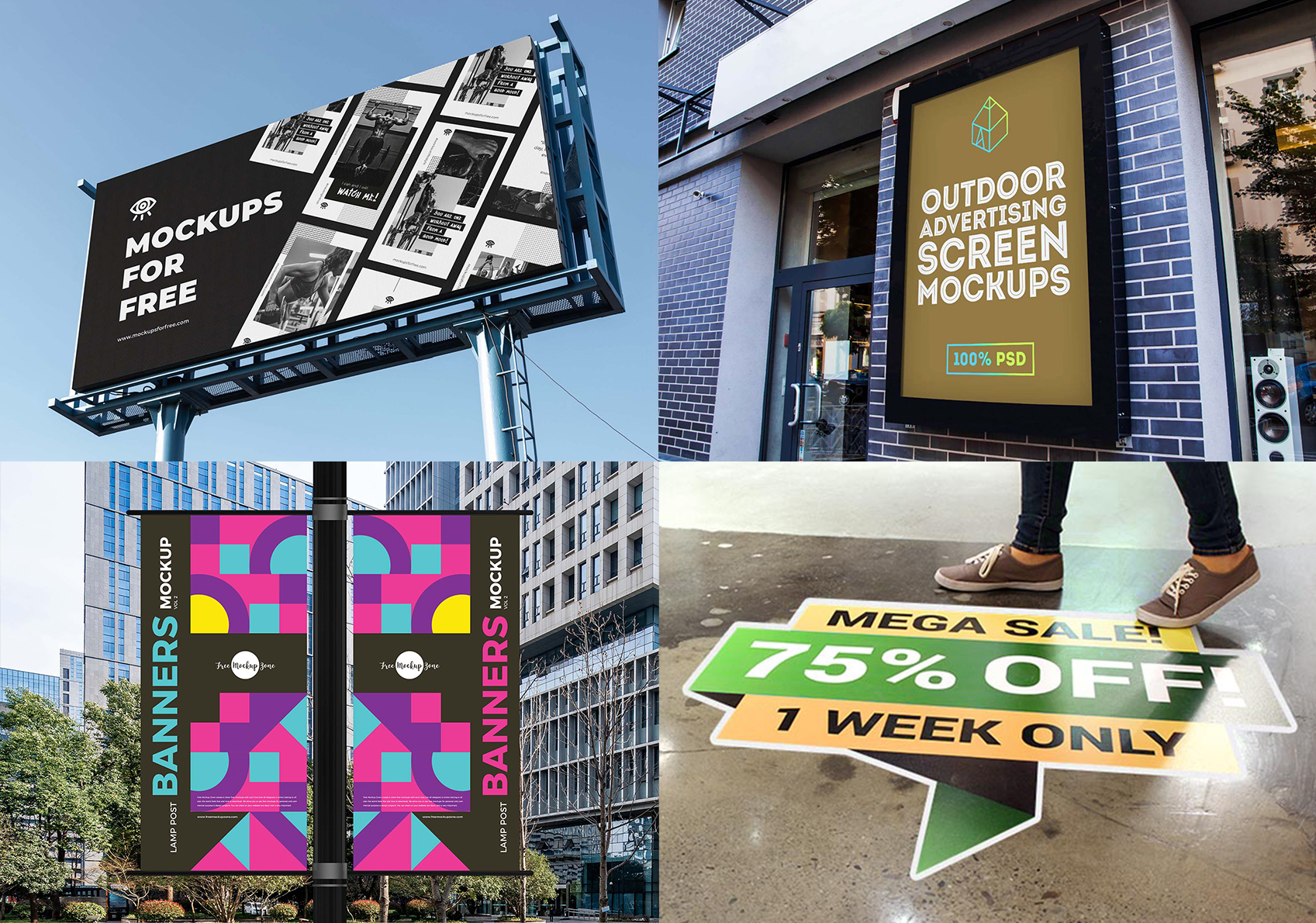
  1. Signage: Flatbed inkjet printers are ideal for creating various types of signs, including outdoor billboards, indoor posters, real estate signs, and trade show displays. They can print on rigid materials such as foam board, PVC, and acrylic.
  2. Point-of-Purchase (POP) Displays: Flatbed printers are commonly used to produce eye-catching POP displays for retail environments. These displays can be made from materials like corrugated cardboard, foamcore, or expanded PVC.
  3. Custom Packaging: Flatbed inkjet printers are used to create customized packaging solutions, including branded boxes, cartons, and labels. This is particularly valuable for businesses looking to enhance their product presentation.
  4. Personalized Products: Customization is a growing trend, and flatbed inkjet printing enables the production of personalized items like smartphone cases, laptop covers, promotional products, and more.
  5. Architectural and Interior Design: Flatbed printing can be used to produce large-format architectural plans, interior décor elements, and custom tiles for interior design projects.
  6. Event Graphics: For events and trade shows, flatbed printers are used to create graphics for booths, backdrops, and promotional materials.

Best Flatbed Ink Jet Printer in 2023

Here are some of the best flatbed inkjet printers by Roland DG Solutions:

Are There Other Types of Wide-Format Printing?

Yes, wide-format printing encompasses a variety of technologies and methods beyond flatbed inkjet printing. Some of the other common types of wide-format printing include:

  • Roll-to-Roll Inkjet Printing: In this method, large rolls of printing material, such as paper, vinyl, or fabric, are fed through the printer. Roll-to-roll printers are widely used for applications like banners, posters, vehicle wraps, and fabric printing.
  • Dye Sublimation Printing: Dye sublimation printing is used primarily for textiles and fabrics. It involves printing onto a special transfer paper and then using heat to transfer the design onto the fabric. This method is popular for creating custom apparel and soft signage.
  • Solvent Printing: Solvent inkjet printing is commonly used for outdoor graphics, vehicle wraps, and large-scale signage. It employs solvent-based inks that are weather-resistant and adhere well to various substrates.
  • Latex Printing: Latex inkjet printing uses water-based latex inks, which are more environmentally friendly compared to solvent inks. Latex printers can produce high-quality graphics suitable for various applications, including indoor and outdoor signage.
  • UV Printing: UV inkjet printing involves curing ink with ultraviolet (UV) light. This technology is used for printing on both flexible and rigid materials, such as glass, acrylic, and metal. UV prints are known for their durability and resistance to fading.
  • Dye-Sublimation Transfer Printing: This method is often used for textile and fabric printing, including clothing, home decor, and soft signage. The design is printed onto a transfer paper, and then heat and pressure are applied to transfer the ink onto the fabric.

When it comes to starting a wide-format printing business, flatbed inkjet printing has emerged as a game-changer, offering boundless creative possibilities and unmatched versatility. Whether you’re in the business of producing eye-catching signage, custom decor, or personalized promotional products, flatbed inkjet printers have become indispensable tools for realizing your vision. This innovative printing method has not only expanded the horizons of large-format printing but has also redefined what’s achievable in terms of precision, quality, and artistic expression.

If you’re a business owner seeking to unlock the full potential of your printing projects, it’s time to explore the world of flatbed inkjet printing. Whether you’re in signage, interior design, or the world of custom branding, we’re here to help you harness the power of flatbed inkjet printing. Contact us today to discover the perfect flatbed inkjet printing solution for your business and elevate your printing game to new heights.

Tag: printing business guide

Printing 101: What is an Eco-Solvent Printer?

When it comes to large-format printing, eco-solvent printers have emerged as environmentally conscious workhorses, offering a perfect blend of performance and sustainability. As businesses and individuals increasingly seek eco-friendly solutions, eco-solvent printers have carved a niche for themselves, combining high-quality output with a reduced environmental footprint. In this article, we’ll delve into the intricate details of eco-solvent printers, how they work, and the impact they’ve had on the printing industry, catering to the needs of a world that values both efficiency and ecological responsibility.

What is an Eco-Solvent Printer?

An eco-solvent printer is a type of large-format inkjet printer designed for producing high-quality graphics and images on various substrates, such as vinyl, canvas, and other flexible media. What sets eco-solvent printers apart is their use of eco-solvent ink, a more environmentally friendly ink formulation compared to traditional solvent-based inks. Eco-solvent inks contain fewer volatile organic compounds (VOCs) and harmful chemicals, making them a greener choice for businesses and individuals who prioritize sustainability.

Eco-solvent printers are known for their versatility, allowing for a wide range of applications in industries like sign-making, vehicle graphics, banners, and custom wall coverings. They produce durable, long-lasting prints that are resistant to outdoor elements and UV fading. With eco-solvent printing technology, users can achieve vibrant, high-resolution graphics while minimizing their impact on the environment, making it an increasingly popular choice for those seeking both quality and sustainability in the world of large-format printing.

How Does Eco-Solvent Printer Work?

Eco-solvent printers work by applying eco-solvent ink to a variety of media, creating high-quality, durable prints. Here’s an overview of how these printers function:

  • Inkjet Technology: Eco-solvent printers use inkjet technology, where tiny droplets of eco-solvent ink are precisely deposited onto the printing substrate. This is achieved through a printhead that moves horizontally across the material.
  • Printheads: The printheads in eco-solvent printers contain numerous nozzles that release eco-solvent ink droplets. These nozzles are typically organized in rows and are responsible for the accuracy and resolution of the print.
  • Substrates: Eco-solvent printers are capable of printing on a wide range of materials, including vinyl, canvas, fabrics, and various other flexible media. This versatility is one of their key advantages, making them suitable for applications like outdoor signage, vehicle wraps, and custom graphics.
  • Drying Process: After the ink is deposited onto the substrate, it needs to dry. Eco-solvent ink contains a mixture of solvents that facilitate the drying process. These solvents are less harmful and have a lower VOC content compared to traditional solvent-based inks.
  • Print Durability: Eco-solvent ink creates durable prints that are resistant to environmental factors such as water, UV radiation, and abrasion. This makes the output suitable for outdoor use and long-term applications.
  • Environmental Impact: One of the key benefits of eco-solvent printing is its reduced environmental impact. The eco-solvent inks used in these printers produce fewer harmful emissions, making them a greener choice compared to older solvent-based inks.

Eco-solvent printers have gained popularity due to their ability to produce high-quality, long-lasting prints while adhering to eco-friendly principles. These printers cater to the needs of businesses and individuals who require both quality and sustainability in their large-format printing projects.

Eco-Solvent Printer in Large Format Printing Business

Large Format Printing Products

Many types of printing businesses utilize eco-solvent printers to meet the needs of environmentally conscious customers while maintaining high-quality output. Some common printing businesses that make use of eco-solvent printers include:

  1. Outdoor Signage and Graphics Shops
    Sign makers and graphics shops often rely on eco-solvent printers for creating durable outdoor signs and promotional graphics. The eco-solvent ink’s resistance to UV fading and environmental factors is a significant advantage in this industry.
  2. Custom Apparel and Textile Printers
    Businesses that offer customized textiles, such as t-shirt printing or fabric printing, can use eco-solvent printers to produce high-quality, vibrant designs on various textile materials. These prints maintain their colour and integrity even after numerous washes.
  3. Wallpaper and Wall Covering Manufacturers
    Eco-solvent printers are used in the production of custom wallpapers and wall coverings. Their ability to print on various substrates and produce long-lasting designs is essential in the interior decor industry.
  4. Vehicle Graphics, Wraps and Decals
    Companies specializing in vehicle graphics, wraps and decals use eco-solvent printers to create eye-catching, weather-resistant designs for cars, trucks, and other vehicles. The durability of the prints is crucial for outdoor vehicle applications. There’s even vinyl-cutting equipment that can match with an eco-solvent printer, streamlining the process.
  5. Commercial Photography and Fine Art Reproductions
    Eco-solvent printers are employed by photographers and artists who wish to reproduce their work with high colour accuracy and longevity. The prints are often used for exhibitions and sales.
  6. Event and Trade Show Graphics Providers
    Businesses that create banners, backdrops, and other promotional materials for events and trade shows find eco-solvent printers valuable. These prints are resistant to wear and tear during events.

The versatility and sustainability of eco-solvent printers have made them a popular choice in various printing industries, catering to the demands of both businesses and individuals who value environmentally friendly and long-lasting printing solutions.

Best Eco-Solvent Printers in 2024

Roland DG Solutions offers some of the best Eco-Solvent printers:

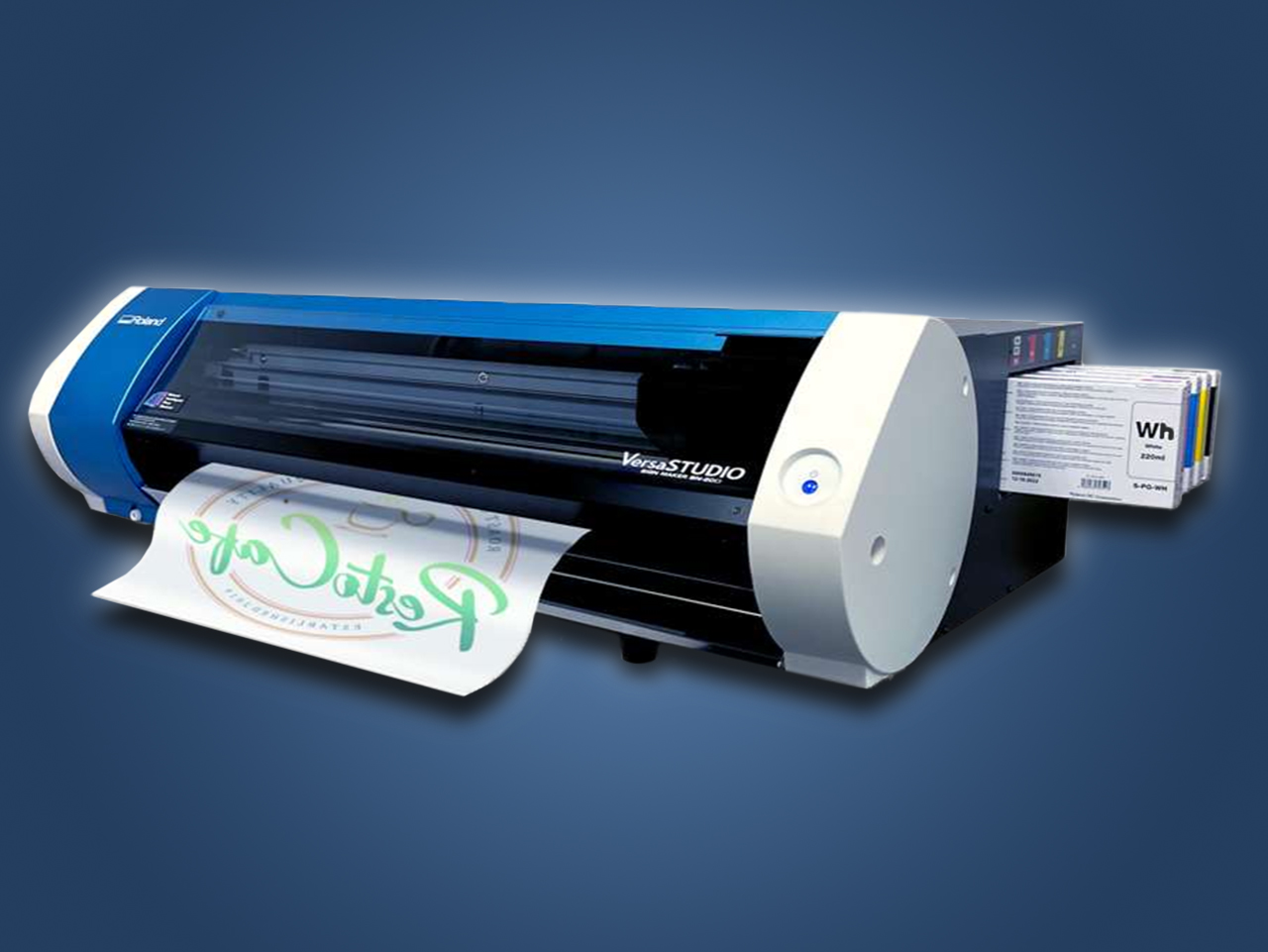
  • VersaStudio BN2 Desktop Printers/Cutters
    The newest cutting-edge wide-format printer by Roland DG, with print speeds four times faster than the original BN-20. It also features cutting-edge print and cut technology, streamlining the process of printing and contour-cutting graphics
  • TrueVIS SG3 Series Printers Cutters
    The TrueVIS SG3-300 / SG3-540 Series Printers Cutter is the most advanced generation of TrueVIS printers. Expand your current operation or provide the right start in sign and graphics with the superior colour and performance of next-generation TrueVIS SG3 printers/cutters.
  • TrueVIS VG3 Series Printers Cutters
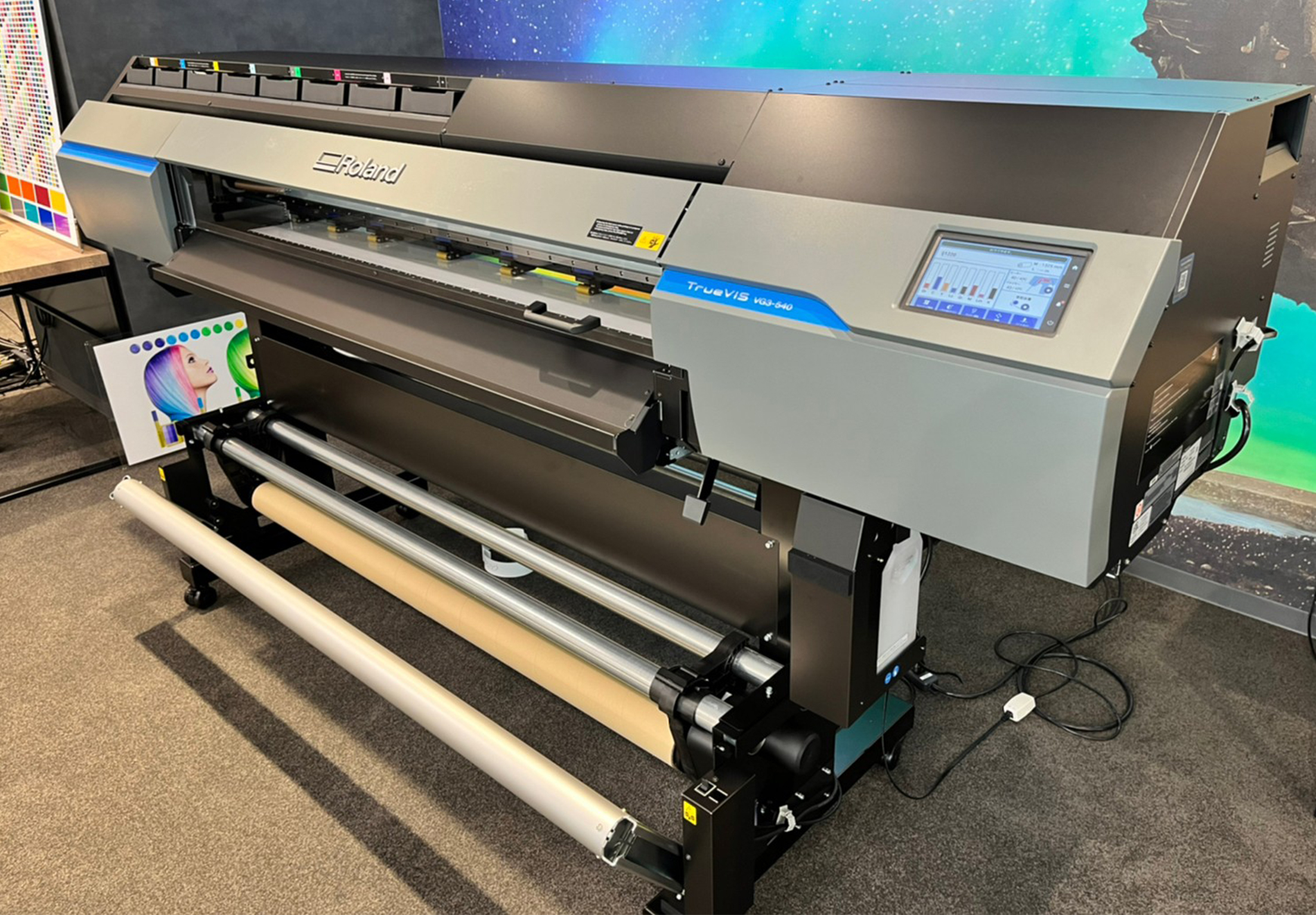
    The TrueVIS VG3-540 / VG3-640 Series Printers Cutters combine cutting-edge printing technology with precise cutting capabilities, delivering outstanding graphics and designs with vivid colours and exceptional precision.
  • VersaStudio BN-20D Direct-to-Film Printer
    The newest addition to the BN-20 Series of desktop printers. The BN-20D Direct-to-Film System complements Roland DGA’s existing family of compact, powerful VersaSTUDIO machines designed to help smaller home- or office-based print providers build their businesses.

As the demand for high-quality, eco-conscious printing solutions continues to rise, eco-solvent printers have emerged as a compelling choice for businesses and individuals alike. These versatile machines offer exceptional print quality, durability, and environmental responsibility, making them a valuable asset in a variety of industries. By choosing eco-solvent printing, users can enjoy vibrant, long-lasting prints while minimizing the impact on the environment. With a commitment to both performance and sustainability, eco-solvent printers represent a forward-looking approach to the evolving world of printing technology.

Are you ready to make an eco-conscious choice for your printing needs? If you’re a business owner in search of eco-solvent printers that combine exceptional quality with sustainability, look no further. Take the next step toward reducing your environmental footprint while achieving outstanding print results. Reach out to us today to explore the world of eco-solvent printing and find the perfect solution for your business. Your journey to top-tier printing with an eco-friendly edge begins here.

Tag: printing business guide

Differences Between Coil, Comb and Wire Bindings

When it comes to document binding, the choice between coil, comb, and wire bindings is a pivotal decision that impacts not only the organization and presentation of printed materials but also the efficiency of information sharing and distribution. With applications affecting diverse industries, from corporate offices to educational institutions and print shops, understanding the differences and nuances between these binding methods is essential. In this article, we delve into the distinct characteristics of coil, comb, and wire bindings, providing valuable insights for professionals, educators, and businesses seeking the perfect binding solution to elevate their document management and presentation needs.

What Are Bindings?

Bindings refer to the various methods and materials used to secure loose sheets or pages together, creating a unified document or booklet. Bindings serve multiple purposes, including organization, presentation, and protection of printed materials. They are essential in various industries, such as office settings, publishing, education, and printing, where documents need to be assembled, stored, and distributed effectively. Bindings come in various forms, each offering distinct characteristics to suit different document types and requirements. By selecting the appropriate binding method, businesses, professionals, and educators can enhance the organization and presentation of their printed materials, ultimately improving information sharing and document management.

Difference Between Coil, Comb and Wire Bindings

Each of these binding methods has distinct features, making them suitable for various applications and industries. The choice between coil, comb, and wire binding depends on factors such as document type, desired appearance, and functionality.

Coil Binding Products

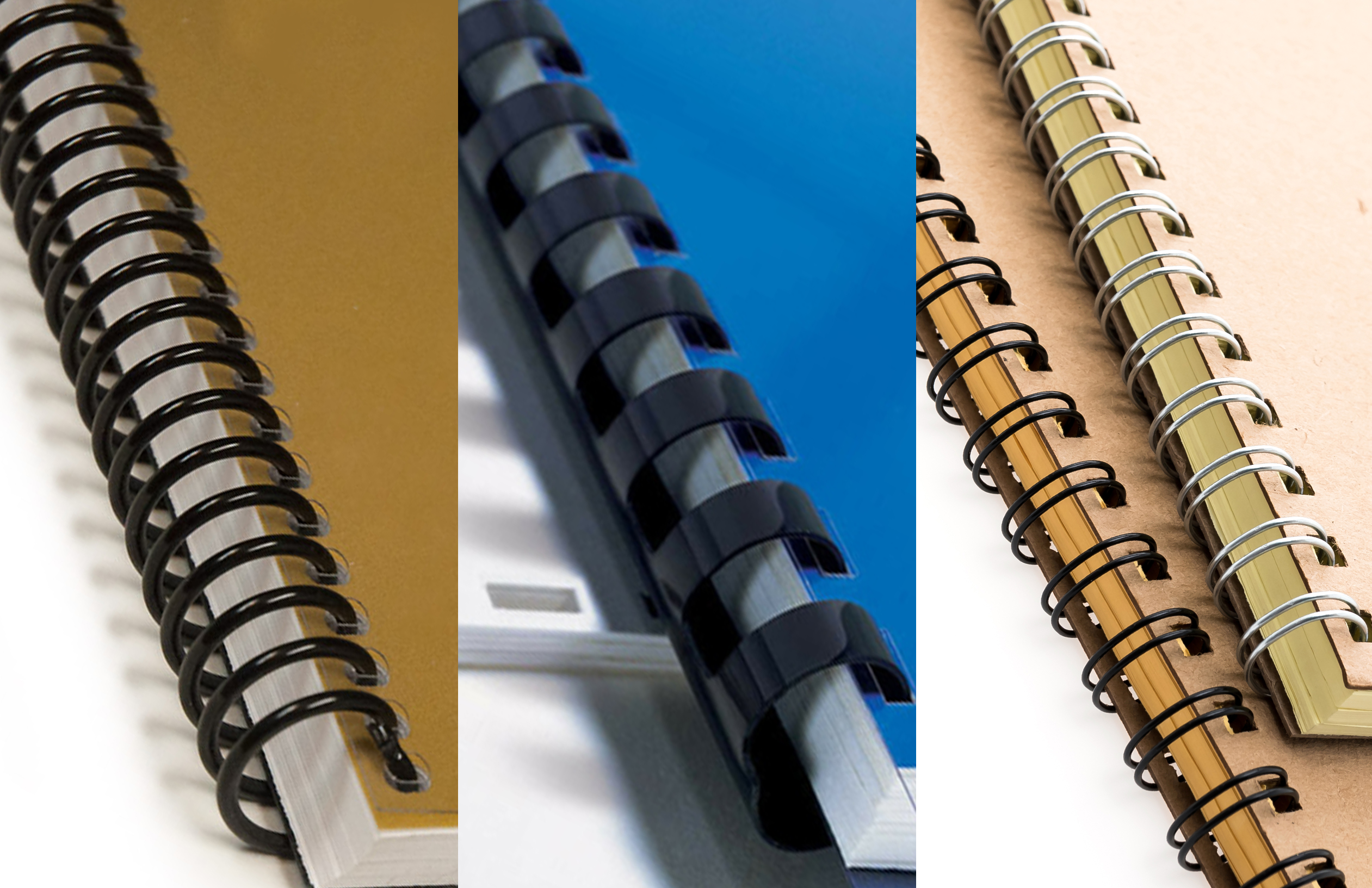
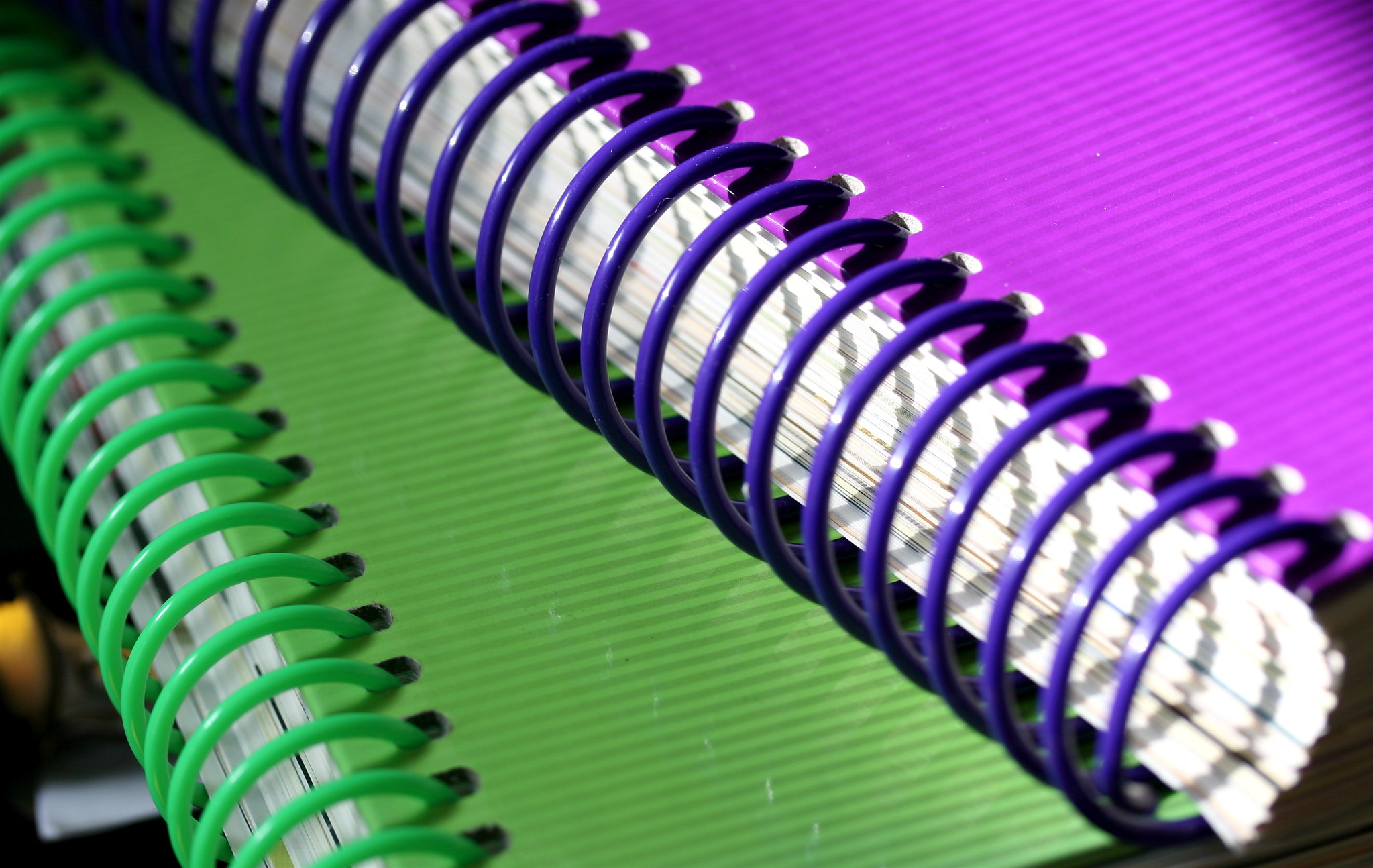
Coil binding, also known as spiral binding, employs a continuous plastic or metal coil that threads through closely spaced holes along the edge of the document. This method offers excellent flexibility, allowing the document to lay flat when opened, making it ideal for manuals, workbooks, and cookbooks. It is a popular choice for its versatility, offering a range of colours and sizes to match the document’s theme. While coil binding is durable, it’s not as tamper-resistant as wire binding.


Comb Binding

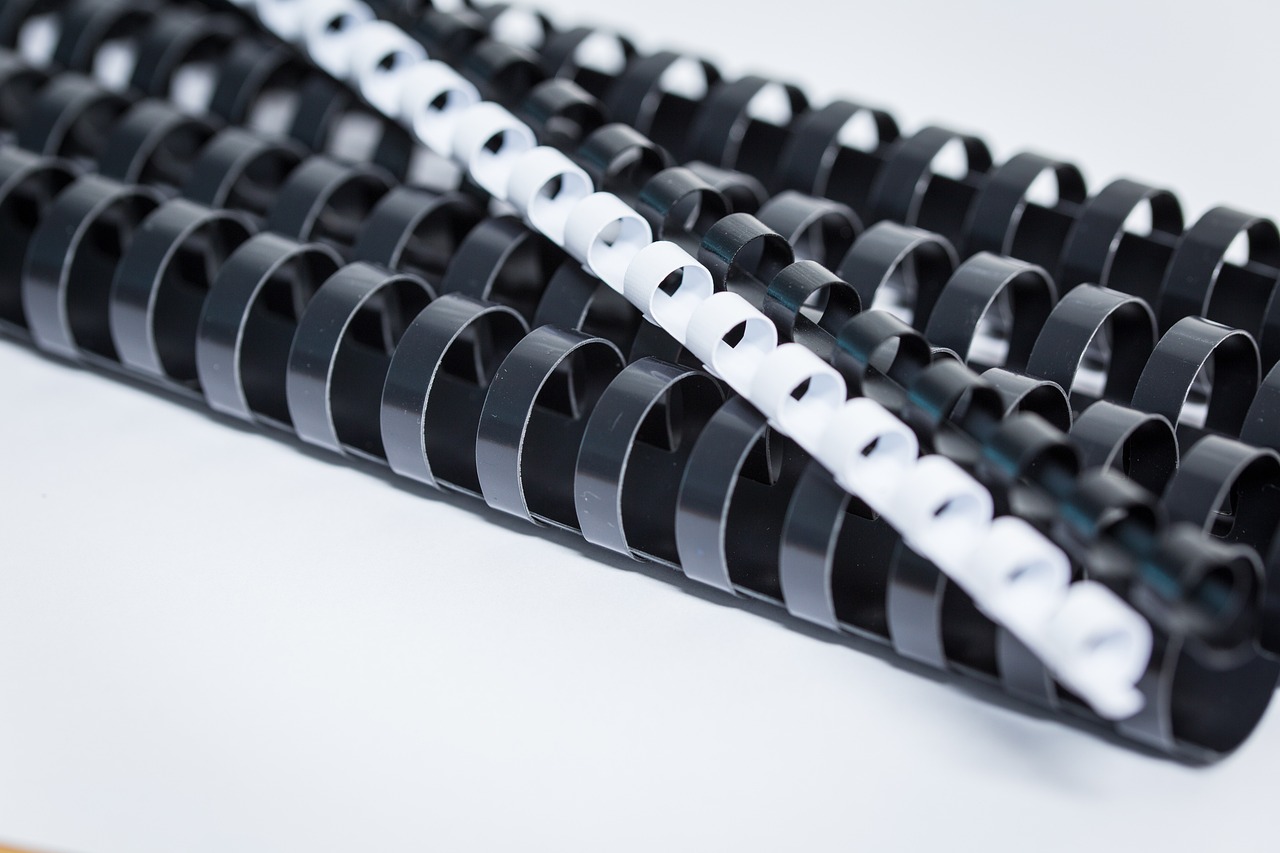
Comb binding, often referred to as cerlox or plastic comb binding, employs a series of plastic comb-like spines with evenly spaced teeth that are inserted through rectangular holes punched into the document. This method is renowned for its ease of use and editability, as pages can be added or removed without damaging the document. Comb binding is perfect for reports, presentations, and training materials. While it offers convenience, the final document does not lay flat when opened, which can be a minor drawback for some applications.


Wire-O Binding Products

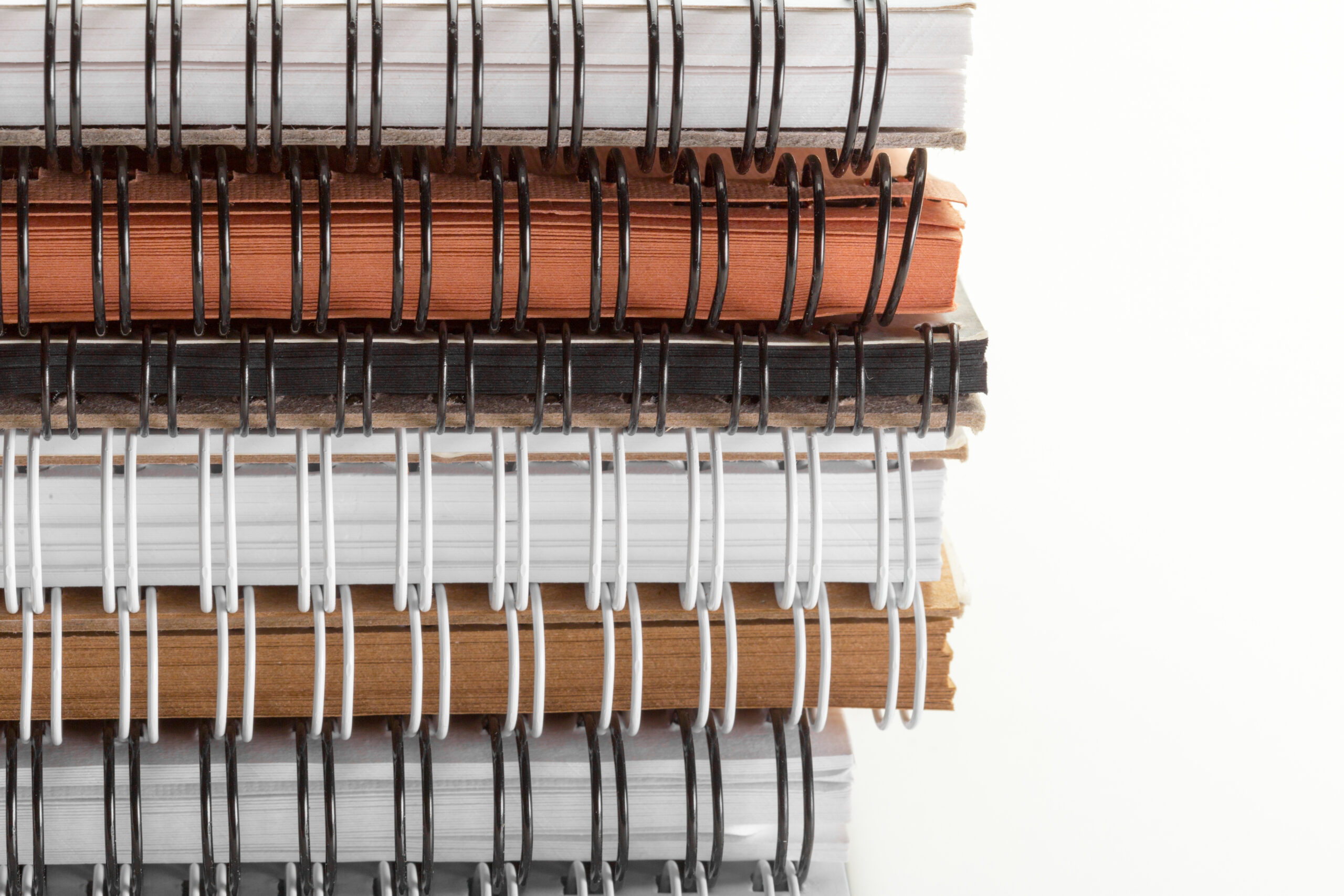
Wire binding, often known as twin-loop or double-loop binding, employs metal wires, typically made of steel or other durable materials, that thread through square or round holes punched along the document’s edge. Wire binding exudes a professional look and is suitable for business reports, proposals, and legal documents. It offers durability and a secure binding, ensuring pages do not fall out. However, it may not be as convenient for editing and is not tamper-resistant like comb binding.

Which Type of Binding is Best To Use?

Choosing the right type of binding—coil, comb, or wire—depends on various factors, including the specific document or project requirements, appearance, functionality, and personal preferences. Here’s a general guide to help you decide which binding method to use:

Coil Binding (Spiral Binding):

  • Ideal for documents that need to lay flat when opened, such as manuals, workbooks, and cookbooks.
  • Offers excellent flexibility and durability, making it suitable for documents that require frequent use.
  • Available in a range of colours and sizes to match the document’s theme.
  • May not be as tamper-resistant as wire binding.

Comb Binding (Plastic Comb or Cerlox Binding):

  • Convenient for documents that may require frequent editing or the addition/removal of pages, such as reports, presentations, and training materials.
  • Ensures pages lay flat when opened.
  • Easy to use and allows for document customization.
  • May not offer the same level of professionalism as wire binding.

Wire Binding (Twin-Loop or Double-Loop Binding):

  • Best suited for creating a professional, sleek appearance, making it perfect for business reports, proposals, and legal documents.
  • Provides durability and secure binding to prevent pages from falling out.
  • Ensures a polished finish for important documents.
  • Less convenient for editing or adding/removing pages compared to comb binding.

Ultimately, the choice between coil, comb, and wire binding depends on the specific needs of your document and the impression you want to convey. Consider factors like the type of content, document size, frequency of use, and desired aesthetics when deciding. Additionally, it’s advisable to consult with a professional or supplier who can provide guidance based on your unique requirements.

Best Binding Machines in 2023

Let’s explore the best binding machines in 2023, each offering unique features to suit different document binding needs.

Best Coil Binding Machines

Best Comb Binding Machines

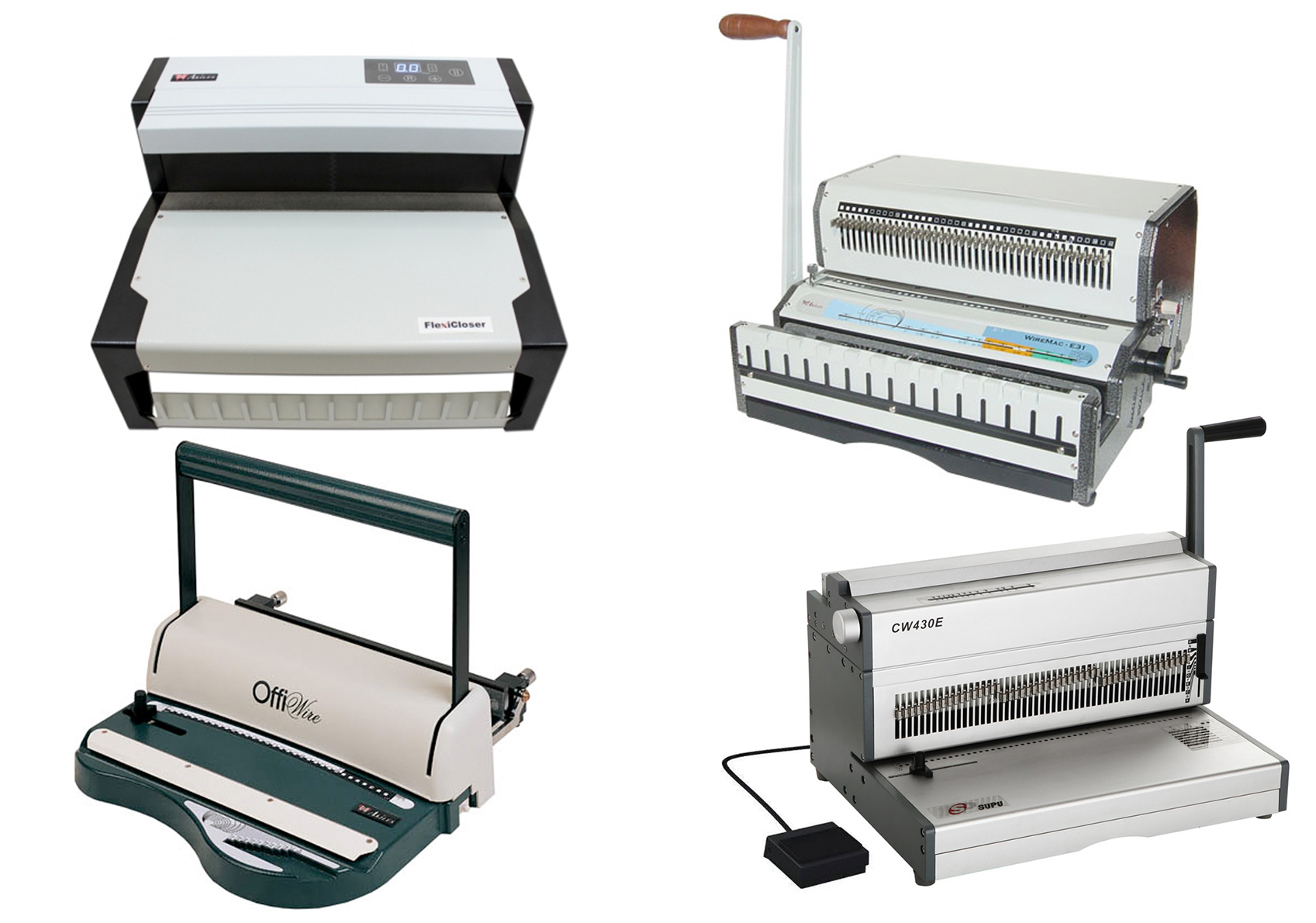
Best Wire Binding Machines

The choice between coil, comb, and wire bindings comes down to the specific needs and preferences of the user. Each method brings its own set of advantages and limitations, making them suitable for different applications. By understanding these differences, individuals and businesses can make informed decisions that enhance the presentation, organization, and functionality of their printed materials. Whether it’s the flexibility of coil, the editability of comb, or the professional finish of wire, the binding method you choose is a vital aspect of effective document management and communication.

For business owners seeking the ultimate edge in document binding, it’s time to elevate your efficiency, presentation, and document management with the best binding machines. Whether you run an office, a binding business, or a printing enterprise, the right binding machine can make all the difference. Explore our range of cutting-edge options designed to streamline your processes and enhance your printed materials. Contact us today to find the perfect binding solution that aligns with your unique needs and stay ahead in the competitive world of document management. Your journey to superior binding starts here.