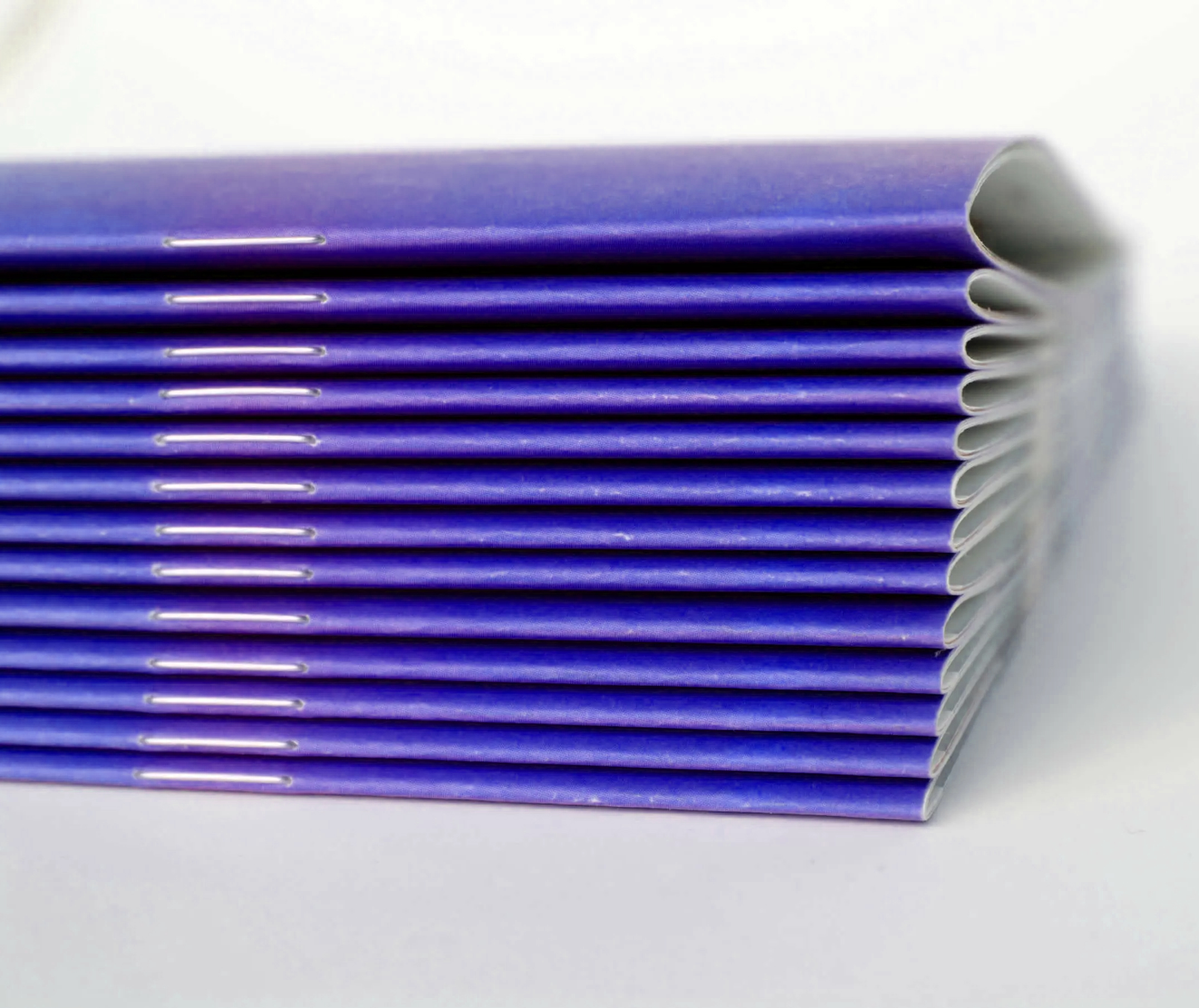
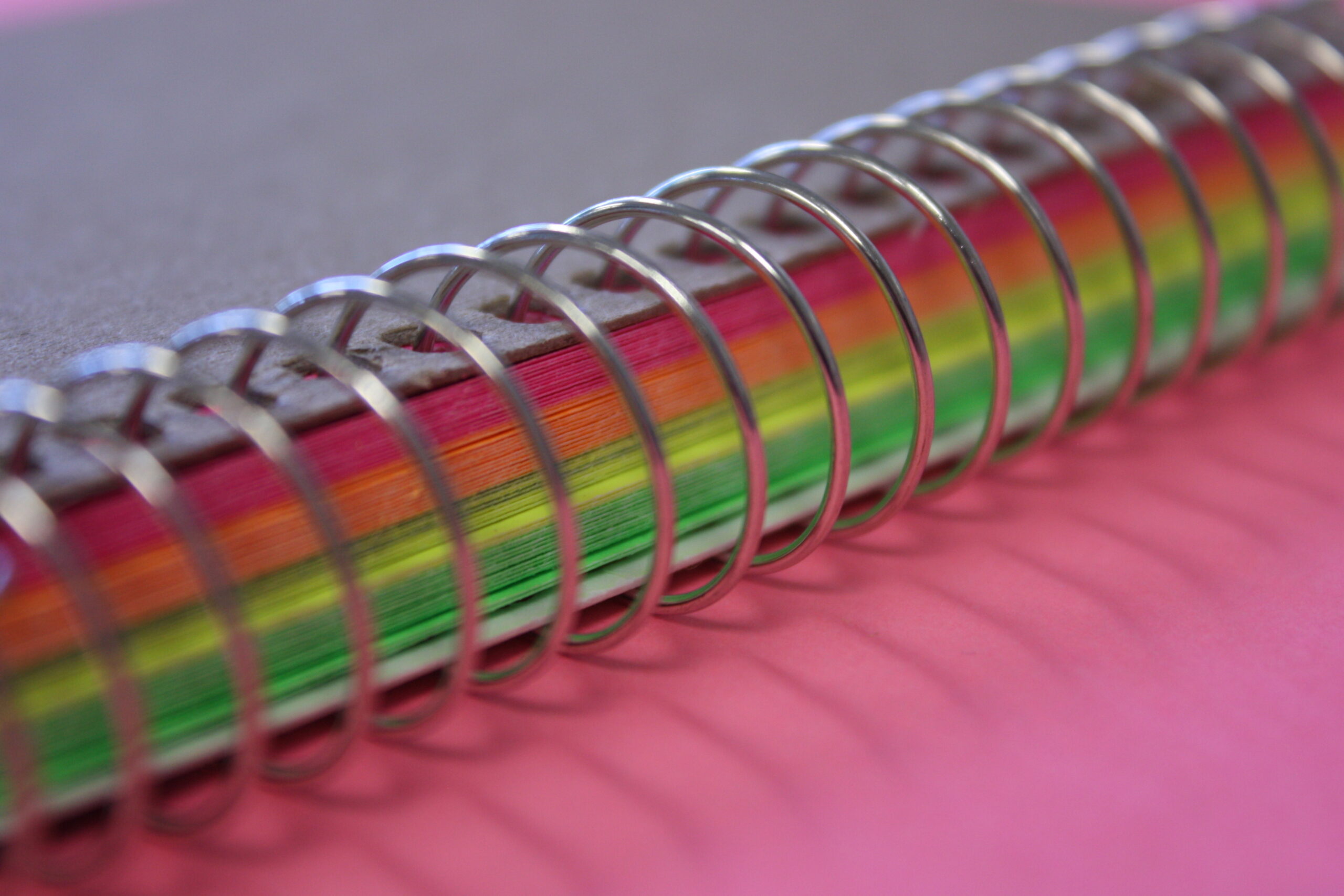
We Ship to North America Free Shipping for Many Products
Category: Guide

What is Soft Touch Matte Thermal Laminating Film?

Print finishing plays an important role in how customers perceive printed materials. A good finish improves both durability and presentation. Many businesses now look for ways to add value without changing their design. Soft Touch Matte Thermal Laminating Film offers a practical solution. It protects prints while adding a distinctive feel that enhances the final product.

What is Soft Touch Matte Thermal Laminating Film

Soft Touch Matte Laminating Film

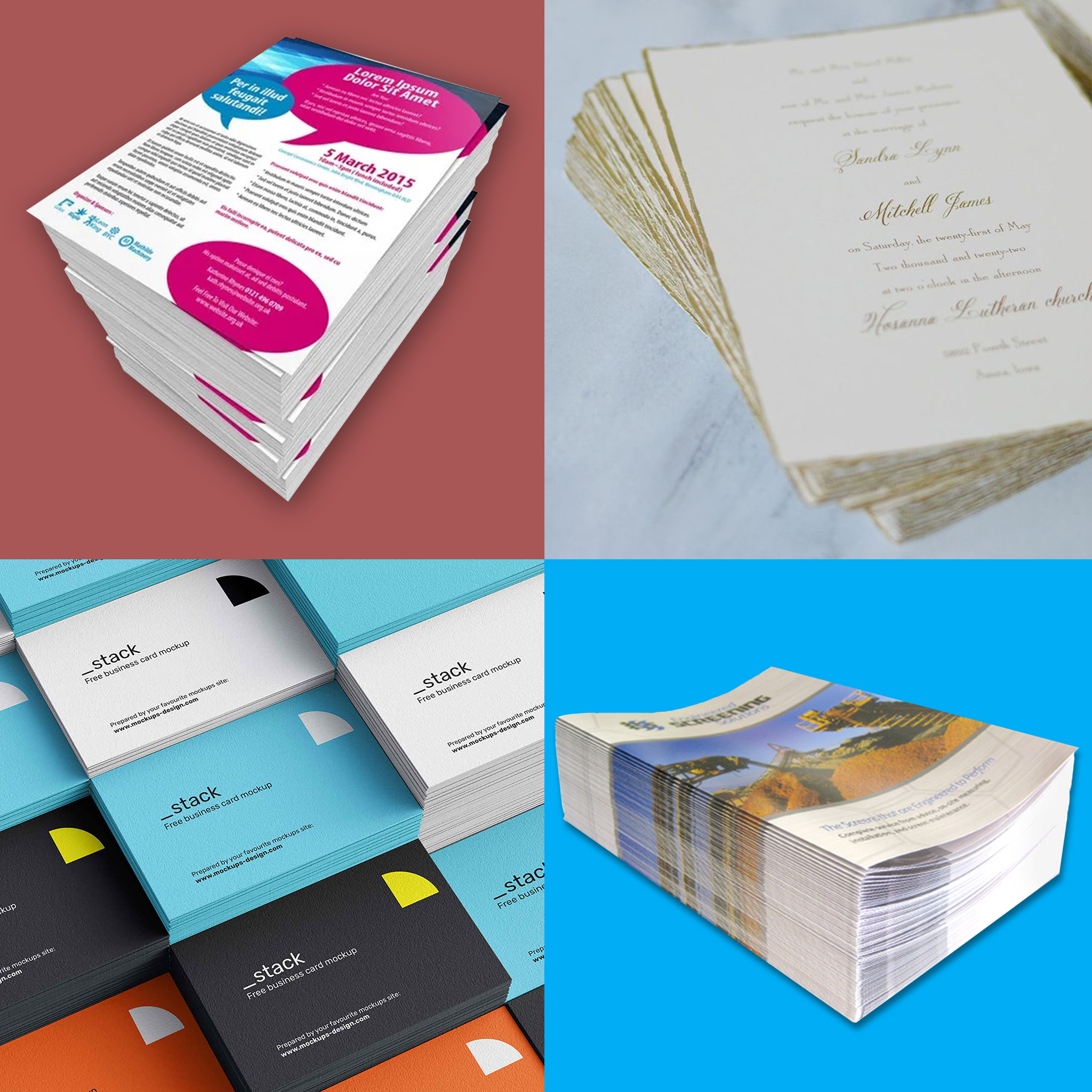
Soft Touch Matte Thermal Laminating Film is a heat-activated film applied to printed sheets using a thermal laminator. It creates a smooth, velvety, silky texture that you do not get from regular matte lamination. The surface feels soft and refined, which gives printed materials a premium character. This finish is commonly found in high-end packaging, smartphones boxes, wine labels, book covers, and business cards. It combines the low glare of matte lamination with a unique tactile effect. The result is a finish that improves both function and presentation.

Difference with Normal Lamination

Laminating Pouch
Laminating Pouch

Standard lamination focuses mainly on protection and appearance. Gloss lamination enhances color and adds shine. Matte lamination reduces reflection but feels flat. Soft touch lamination adds another layer of sensory quality. It provides protection while delivering a soft and smooth texture. Regular films often feel synthetic, while soft touch surfaces feel warm and natural. This difference helps printed materials stand out without complex design changes. It also improves handling because the surface resists fingerprints and minor scuffs.

Quick Overview of the Process of Applying Soft Touch Matte Thermal Lamination

Soft Touch Matte Laminating Film Easy Loading

The process begins after printing, once the ink has fully cured to prevent adhesion problems. The operator sets the laminating machine to the recommended temperature for soft touch film. The film roll is mounted securely and aligned to feed smoothly with the printed sheets. As the sheets enter the machine, heat activates the adhesive layer on the film. Pressure rollers press the film evenly onto the surface to ensure complete bonding. Proper speed control allows the film to fuse without bubbles or silvering. The laminated sheets then pass through cooling rollers to stabilize the finish. After cooling, the material can be trimmed, die cut, folded, or further processed as required.

Three Main Benefits of Adding Soft Touch Matte Thermal Lamination to Your Products and Labels

Perfect Velvet Finish

This finishing method provides several practical advantages for both printers and product manufacturers.

  • Protection – The film adds a durable layer that guards against scratches, moisture, and handling damage. It extends the usable life of printed materials.
  • Elegance, Luxury and Sophistication – The soft texture enhances perceived quality without altering the original artwork. It helps position products as premium items.
  • Versatility – Soft touch lamination works well with many print applications, including packaging, covers, tags, and marketing materials. It supports different design styles easily.

Common Applications in Print Production

Soft Touch Matte Laminating Film Uses

Soft touch lamination is used across various industries where presentation and durability are important:

  1. Packaging producers apply it to cosmetic boxes and specialty cartons.
  2. Commercial printers use it for corporate folders, invitations, and promotional materials.
  3. Publishers choose it for book covers that require both protection and visual appeal.
  4. Label producers also use it for products that require a premium shelf presence.

Its adaptability makes it suitable for short runs and large production volumes.

Considerations When Using Soft Touch Film

Proper material selection and machine settings are important for consistent results. Operators must ensure correct temperature and pressure during lamination. Excessive heat can affect texture quality. Paper stock should be compatible with thermal processes to achieve strong adhesion. Testing before full production helps avoid waste and ensures uniform finish. Storage conditions also matter because films perform best in controlled environments.

Role in Value Added Print Finishing

Print finishing is not only about decoration but also about function and longevity. Soft touch lamination supports this goal by combining tactile enhancement with protection. It allows printers to offer upgraded products without major workflow changes. Businesses benefit from improved presentation while maintaining production efficiency. This makes it a practical addition to many finishing operations.

Soft Touch Matte Thermal Laminating Film is a functional and aesthetic upgrade to traditional lamination. It protects printed materials while adding a smooth, velvety feel that standard matte films cannot provide. The process remains efficient and compatible with existing thermal laminating equipment. Its balance of durability, appearance, and versatility makes it suitable for many print applications. For printers and brands seeking added value, it serves as a reliable finishing option.


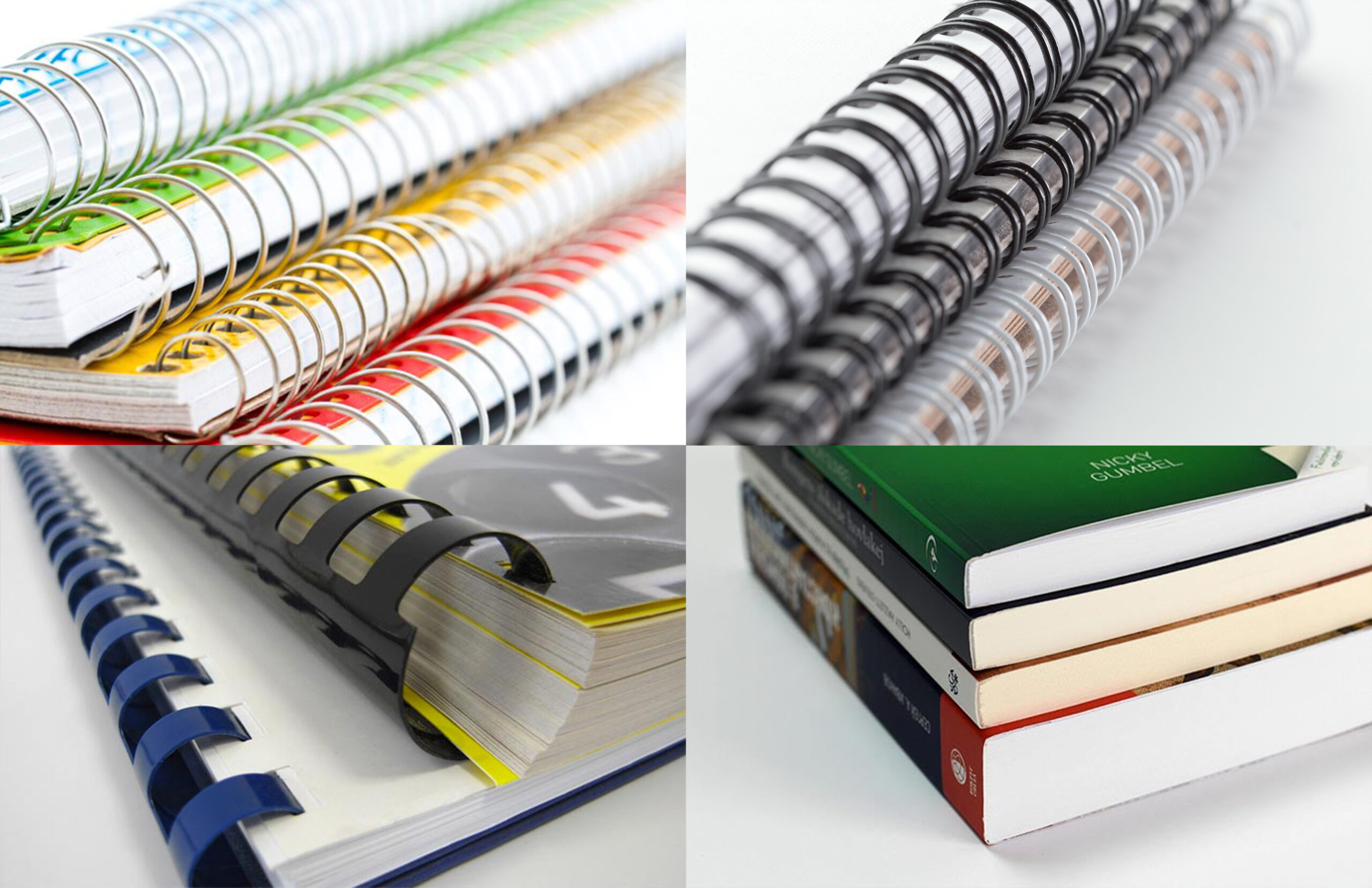
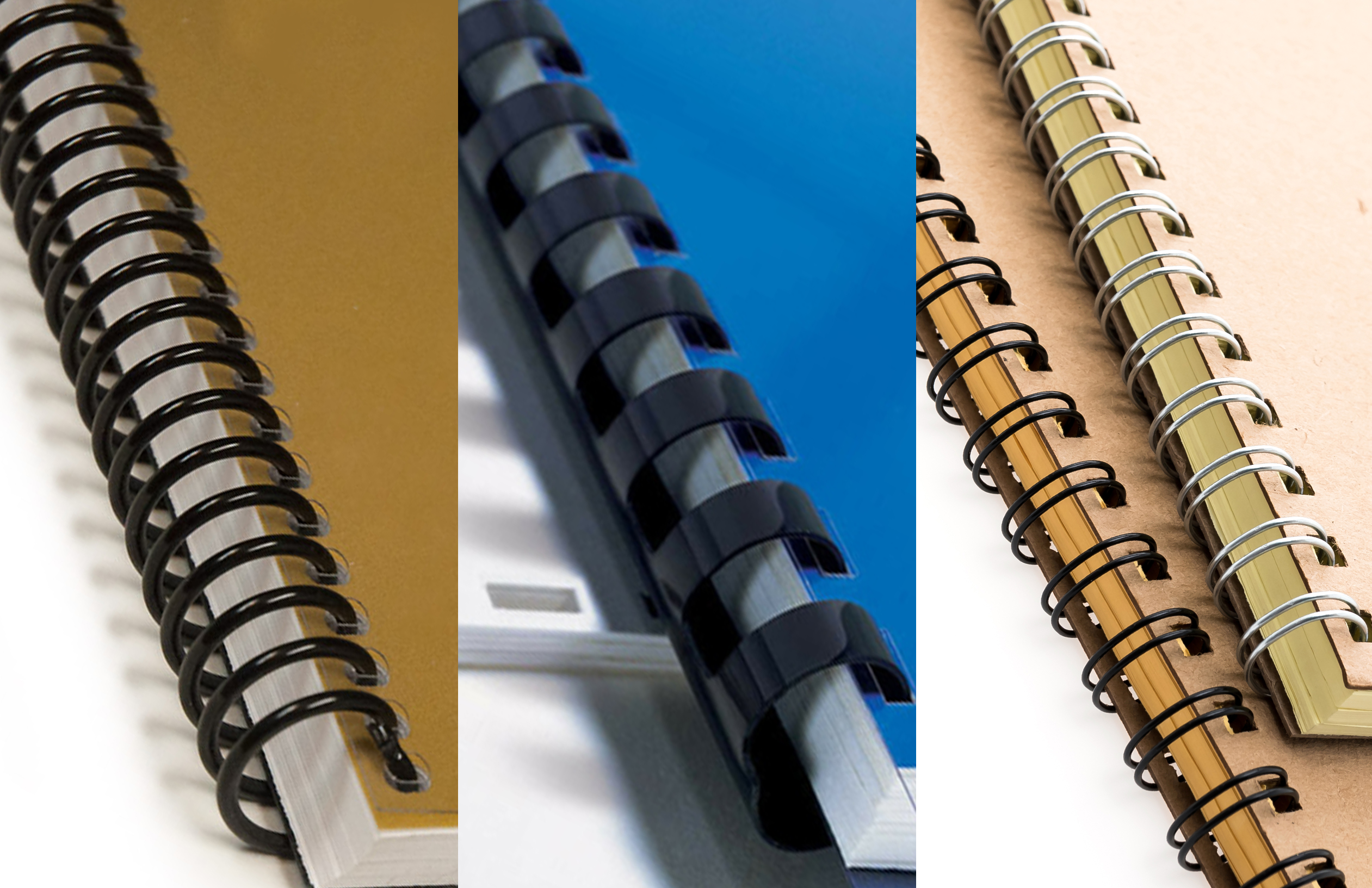
If you’re a business owner in the office, binding, printing or publishing industry, and you’re seeking the best binding machines to enhance your operations, look no further. Our selection of high-quality binding machines is designed to meet your specific needs. Whether you require the durability of case binding, the versatility of perfect binding, or the cost-effective benefits of saddle stitching, we have the right binding solution for you. Contact us today to explore our range of binding machines and take your business to the next level.

Category: Guide

Tips for Effective Retail Display Printing

Retail displays play a major role in how customers notice, understand, and remember a brand. In busy retail spaces, printed displays help guide attention and influence buying decisions. From window graphics to in-store signs, printing gives businesses a strong visual presence. When done well, retail display printing supports branding, promotions, and customer flow. This article explains key tips for creating effective retail display prints and how large format printing supports these efforts.

Understanding Retail Display Printing

Retail display printing focuses on printed materials used inside or outside stores. These prints aim to attract attention, share information, and support sales. Common examples include posters, banners, floor graphics, and point-of-sale displays. Each print piece should match the store’s layout and marketing goal. Clear design and quality printing help displays stand out in crowded environments.

What Is Large Format Printing

Roland DG TrueVIS XG-640 Printer/Cutter

Large format printing is a printing method used for oversized graphics and displays. It supports prints that are larger than standard office or commercial sizes. This type of printing is widely used for retail displays, signage, and promotional materials. Large format prints are designed to be visible from a distance. They also allow bold colors, sharp images, and strong visual impact.

Large format printing supports materials like vinyl, fabric, paper, and rigid boards. These materials suit different retail needs and environments. For example, vinyl works well for banners and window graphics. Rigid boards suit standees and display panels. Large format printing gives retailers flexibility in size, material, and finish.

Why Retail Displays Matter in Marketing

Retail displays connect marketing messages directly to shoppers at the point of purchase. They help brands influence decisions when customers are ready to buy. Strong visuals can highlight promotions, guide traffic, or explain product benefits. Printed displays also create consistency between online and in-store branding. This consistency builds trust and improves brand recall.

Choosing the Right Display Size and Placement

Display size and placement affect how customers interact with printed materials. Large prints should match viewing distance and store layout. A display that is too small may be ignored. A display that is too large may overwhelm the space.

Before printing, consider where the display will appear. Window displays need strong visuals to attract passersby. In-store displays should guide customers without blocking movement. Proper placement helps prints support the shopping experience instead of disrupting it.

Using Clear and Simple Design

Brochures
Brochures Using TrueVIS Pro XP-640

Simple design improves readability and message clarity. Retail shoppers often move quickly and scan visuals fast. Clean layouts help messages register within seconds. Avoid cluttered designs with too much text or imagery.

Use short headlines, readable fonts, and strong contrast. Images should support the message, not distract from it. White space also helps key elements stand out. Clear design ensures your printed display communicates its purpose instantly.

Selecting the Right Colours and Images

Colour plays a strong role in customer attention and emotion. Bright colours can attract attention, while neutral tones create a calm feel. Colour choices should align with brand identity and store environment. Consistent colours help build brand recognition.

Images should be high resolution and relevant to the message. Blurry or stretched images reduce print quality and credibility. Large format printing requires images prepared at proper resolution. Quality visuals help displays look professional and trustworthy.

Matching Materials to the Retail Environment

Material choice affects durability and appearance. Retail displays may face light, heat, or frequent handling. Indoor displays need smooth finishes and sharp detail. Outdoor or window displays need weather-resistant materials.

Choose materials that fit the display’s lifespan. Short-term promotions can use lighter materials. Long-term branding displays need durable substrates. Matching materials to use conditions improves print life and reduces replacement costs.

Ensuring Print Quality and Consistency

Print quality reflects brand quality. Poor colour accuracy or uneven prints can harm brand image. Consistent output across multiple prints is important for chain stores or repeat campaigns. Colour matching ensures all displays look the same across locations.

Workflows should include proper file setup and proofing. This reduces errors and reprints. Consistent quality builds trust with customers and supports a professional retail image.

Designing for Customer Flow and Interaction

Retail displays should support how customers move through a space. Directional signs guide traffic and reduce confusion. Promotional displays can slow customers at key points. Floor graphics can lead shoppers to featured areas.

Think about how customers see displays from different angles. Visibility from entrances and aisles matters. Well-placed prints improve navigation and increase exposure to promotions.

Best Printers for Print Marketing

Choosing the right printer is important for retail display success. Print marketing requires reliable output, colour accuracy, and flexibility. Printers used for retail displays must handle different materials and sizes. They should support both short runs and repeat jobs.

A good print marketing printer supports fast turnaround and consistent results. This helps businesses respond quickly to promotions and seasonal changes. Print quality and durability also matter for maintaining brand standards. The right printer supports growth and long-term marketing needs.

Roland TrueVIS XG-640 64″ Pro Series Printer/Cutter

XG-640 Printer/Cutter

The Roland TrueVIS XG-640 is a 64″ professional-grade printer/cutter designed for demanding graphic applications. It combines high-quality printing with built-in contour cutting to produce vibrant, durable graphics in a single streamlined workflow. With advanced colour management, reliable performance, and versatile media handling, the XG-640 helps businesses deliver stunning signage, vehicle wraps, banners, and custom graphics with greater efficiency and consistency.

Roland TrueVIS Pro XP-640 64″ Eco-Solvent Printer

Roland TrueVIS Pro XP-640

The Roland TrueVIS Pro XP-640 is a 64″ eco-solvent printer engineered for high-output, professional-grade graphics. It delivers rich, vibrant colour, precise detail, and reliable performance across a wide range of applications—from signage and banners to vehicle wraps and promotional graphics. With advanced print technology and efficient production workflows, the XP-640 helps businesses achieve stunning results while maximising productivity and cost-effectiveness.

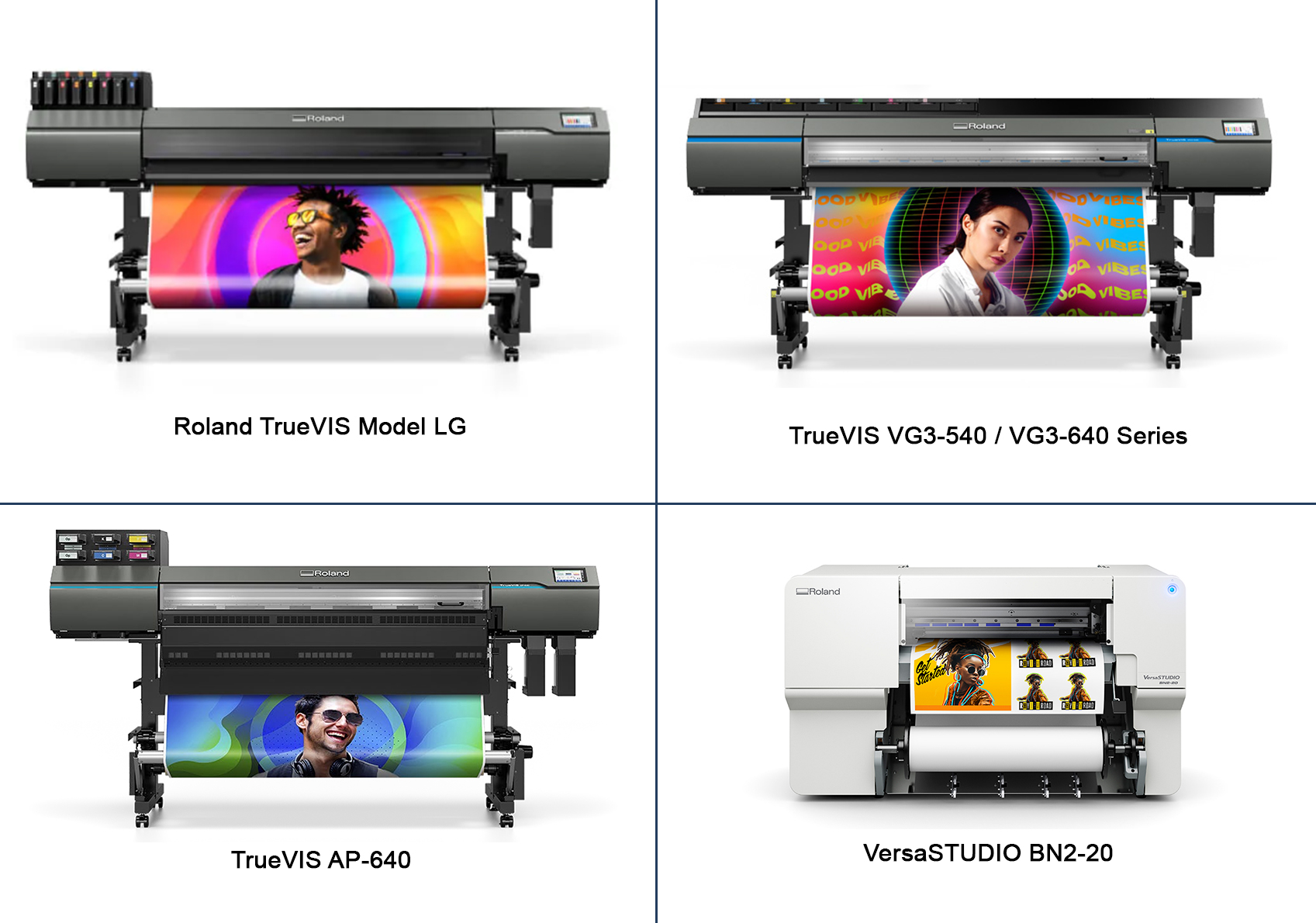
Roland TrueVIS AP-640

Roland TrueVIS AP-640

The Roland TrueVIS AP-640 is a 64″ advanced eco-solvent printer built for high-quality, high-volume graphics production. Combining reliable performance with rich colour reproduction and versatile media handling, the AP-640 is ideal for signage, banners, wraps, and other large-format applications. Designed to meet the needs of professional print environments, it delivers consistent results with efficiency and ease of use.

Roland TrueVis LG Series

Roland Model LG-640 / LG-540 / LG-300

The Roland TrueVIS LG Series is a line of large-format eco-solvent printers designed for high-quality, cost-effective graphics production. Known for vibrant colour output, reliable performance, and versatile media handling, the LG Series supports a wide range of applications—from signage and banners to vehicle wraps and promotional graphics. Built for professional environments, these printers help businesses deliver stunning results with efficiency and consistency.

VersaStudio BN2 Desktop Printers/Cutters

Roland VersaSTUDIO BN2 Series Desktop Printer/Cutters

The VersaSTUDIO BN2 Desktop Printers/Cutters are compact, all‑in‑one solutions designed for creative professionals and small businesses. Combining printing and contour cutting in a single unit, these desktop models deliver vibrant graphics, precise cuts, and versatile media support—all in a space‑saving form factor. Ideal for custom decals, labels, apparel graphics, and small signage, the BN2 series makes professional‑quality output accessible and convenient.

Planning for Updates and Seasonal Campaigns

Retail displays often change with seasons, sales, or trends. Planning prints with updates in mind saves time and cost. Modular designs allow easy replacement of sections. Reusable frames or structures support flexible campaigns.

Design files should be stored and organized for quick edits. This allows faster reprints when offers change. Planning ahead helps retailers stay fresh and relevant without redesigning everything.

Final Thoughts

Retail display printing combines design, strategy, and production quality. Each element plays a role in how customers see and respond to a brand. Large format printing gives retailers the tools to create strong visual impact. With careful planning and clear design, printed displays can drive attention and sales.

Effective retail display printing supports branding, communication, and customer experience. When displays match goals and environments, they become powerful marketing tools.


If you are a potential business owner looking to venture into the world of large-format printing, PRINTFINISH is your ultimate partner for success. Our comprehensive range of cutting-edge printing and finishing solutions, coupled with our expertise and exceptional customer support, will empower your business to thrive in the competitive market. Contact us today and unlock the full potential of your printing business with PRINTFINISH as your trusted partner.

Category: Guide

Achieving High-Quality Output with the TrueVIS XP-640

Large-format printing is at the heart of high-impact graphics, signage, and custom branding. Businesses demand printers that can deliver speed, accuracy, and vivid colours without compromise. Roland DG’s TrueVIS XP-640 is the latest large-format eco-solvent printer that combines productivity, versatility, and cost-efficiency. Designed for businesses looking to expand their output and offer professional-quality graphics, the XP-640 sets a new benchmark for large-format printing.

What is Large-Format Printing?

Large-format printing refers to printing on media wider than standard desktop printers, often from 24 inches to over 64 inches in width. This type of printing is commonly used for banners, posters, signage, vehicle wraps, and wall graphics.

Benefits of large-format printing include:

  • High visibility – Perfect for outdoor and indoor advertising.
  • Customisation – Enables unique graphics for branding or décor.
  • Versatility – Supports a wide range of media, including vinyl, paper, canvas, and film.
  • Impact – Produces vibrant, attention-grabbing visuals that scale to any size.

What is an Eco-Solvent Printer?

Eco-solvent printers use durable, low-odour inks designed for indoor and outdoor use. These inks bond well to many materials and offer long-lasting performance.

Key benefits of eco-solvent printing include:

  • Durability – Prints resist fading, scratches, and weather exposure.
  • Media flexibility – Compatible with vinyl, films, paper, and banner media.
  • Lower operating costs – Efficient ink use supports long-term profitability.
  • Safer environments – Reduced emissions improve indoor workspace comfort.

Eco-solvent technology delivers professional results while supporting efficient operations.

Introducing the TrueVIS XP-640

Roland TrueVIS Pro XP-640

The TrueVIS XP-640 is Roland DG’s most advanced eco-solvent printer to date. It is built for businesses that demand speed, precision, and dependable output.

The XP-640 delivers:

  • Industry-leading productivity – Faster output without compromising image quality.
  • Signature TrueVIS colour – Consistent, accurate, and vibrant prints.
  • Operational efficiency – Smart automation that saves time and labour.
  • Long-term reliability – Designed for continuous production with minimal downtime.

This printer empowers print providers to confidently take on demanding jobs and tight deadlines.

Features of the TrueVIS XP-640

Posters

The XP-640 combines advanced engineering with practical features that improve daily production.

Dual Staggered Printheads

Two larger printheads deliver finer droplets at higher density. This results in sharper images with fewer passes.

Twice the Productivity

Output speeds double compared to previous TrueVIS print-only models.

Expanded Colour Gamut

Newly developed Red ink enhances vibrancy and colour accuracy. CMYK, Light Black, Green, and Orange support wider colour expression.

True Rich Color Preset

Roland TrueVIS Pro XP-640 Inks

Produces vivid colours, smooth gradations, neutral grays, and natural skin tones.

Flexible Ink Configurations

Available in 8-colour or dual CMYK setups to match production needs.

Low Running Costs

New TH inks reduce ink usage while maintaining TrueVIS image quality.

Automatic Media Gap Adjustment

Optical registration automates calibration for consistent results.

Perforated Sheet Cutting

Built-in perforation reduces finishing time and handling risks.

Automatic Media Take-Up

Simplifies media loading and supports long print runs.

7-Inch Colour LCD Panel

Provides fast access to printer status, ink levels, and job progress.

Easy Maintenance

Users can replace wear parts without service calls, reducing downtime.

These features work together to maximise efficiency, accuracy, and profitability.

Picture-Perfect Productivity

Banners

The XP-640 balances speed and image quality at a professional level. It delivers consistent results across both high-speed and high-resolution modes.

In billboard mode, the 8-colour configuration achieves an extremely wide colour gamut. The dual CMYK setup produces vivid prints at speeds up to 819 square feet per hour.

This flexibility allows print providers to choose quality or speed without compromise.

Introducing the Widest Colour Gamut Yet

Colour accuracy plays a critical role in branding and visual impact. The XP-640 introduces a newly developed Red ink to address this need.

This ink improves:

  • Brand colour accuracy – Corporate reds reproduce with greater precision.
  • Visual impact – Graphics appear bolder and more eye-catching.
  • Creative freedom – Expanded colour range supports demanding designs.

With improved red reproduction, print businesses can deliver graphics that meet strict brand standards.

Lowest Running Costs in Its Category

Profitability depends on more than output speed. The XP-640 focuses on reducing ink and operating costs.

New TH inks offer more prints per millilitre without sacrificing quality. The updated True Rich Color setting further reduces ink usage while maintaining visual impact.

This combination helps businesses maximise margins on every job.

Applications of the TrueVIS XP-640 in Large-Format Printing

Billboards

The XP-640 supports a wide range of commercial printing applications. Its performance and versatility open doors to new revenue opportunities.

  • Banners and signage – Durable graphics for indoor and outdoor environments.
  • Vehicle wraps – High-impact prints with excellent colour consistency.
  • Retail displays – Eye-catching point-of-sale and promotional graphics.
  • Wall graphics – Large-scale visuals for branding and décor.
  • Stickers and decals – Sharp detail for logos, text, and fine designs.
  • Event and exhibition graphics – Fast turnaround for time-sensitive projects.

These applications allow print businesses to diversify services and attract new clients.

The TrueVIS XP-640 Large-Format Eco-Solvent Printer is built for print businesses that want to grow with confidence. It delivers exceptional speed, vibrant colour, and reliable performance in a cost-efficient package. With advanced automation, expanded colour capability, and user-friendly operation, the XP-640 helps operators produce more while maintaining consistent quality. For businesses focused on scalability, profitability, and professional results, the TrueVIS XP-640 is a powerful investment in long-term success.


If you are a potential business owner looking to print promotional products, PRINTFINISH is your ultimate partner for success. Our comprehensive range of cutting-edge printing and finishing solutions, coupled with our expertise and exceptional customer support, will empower your business to thrive in the competitive market. Contact us today and unlock the full potential of your printing business with PRINTFINISH as your trusted partner.


Category: Guide

Use of Binding in Real Estate Offices

Real estate offices manage large amounts of paperwork every day. These documents support property sales, leasing, and legal compliance. Contracts, listings, disclosures, and client records must stay complete and organized. Poor filing can cause delays, disputes, or lost opportunities. Binding systems help real estate offices keep documents secure and professional. They also improve workflow and support better client service. This article explains how binding supports daily operations in real estate offices.

What Is a Binding System

A binding system joins multiple sheets into one organized document. It keeps pages together in a fixed order.

Binding systems help offices handle documents more efficiently. They reduce loose papers and improve document control. Real estate offices use binding to protect important records and improve presentation.

Common benefits of binding systems include:

  1. Better organization of related documents
  2. Protection against damage or loss
  3. Easier storage and retrieval
  4. Cleaner and more professional appearance

Binding systems come in many types. Each type serves a specific purpose in office environments.

Importance of Binding in Real Estate Offices

Perfect Binding

Binding plays a key role in real estate operations. Every transaction requires clear and complete documentation.

Real estate offices handle contracts, agreements, and legal forms daily. These documents often move between agents, clients, and legal teams. Binding keeps papers intact during this process.

Bound documents also support compliance. Many real estate records must stay on file for several years. Binding helps preserve these records and maintain order.

Clients also expect professional presentation. Well-bound documents reflect trust, care, and attention to detail.

Common Documents That Require Binding

Real estate offices bind many types of documents. Each type serves a different business purpose.

Commonly bound documents include:

  • Property listing folders
  • Sales contracts and agreements
  • Lease and rental documents
  • Client disclosure forms
  • Property inspection reports
  • Financial summaries and invoices
  • Marketing booklets and brochures

Binding groups these documents into clear sets. This makes them easier to review and manage.

Types of Binding Used in Real Estate Offices

Different binding types meet different needs in real estate work. Offices often use more than one method.

Comb Binding

CombBind C20A Comb Binding Machine

Comb binding uses plastic combs to hold pages. It allows easy page removal or insertion.

Real estate offices use comb binding for:

  • Property listing packets
  • Internal reports
  • Training manuals

This method works well for documents that need updates.

Wire Binding

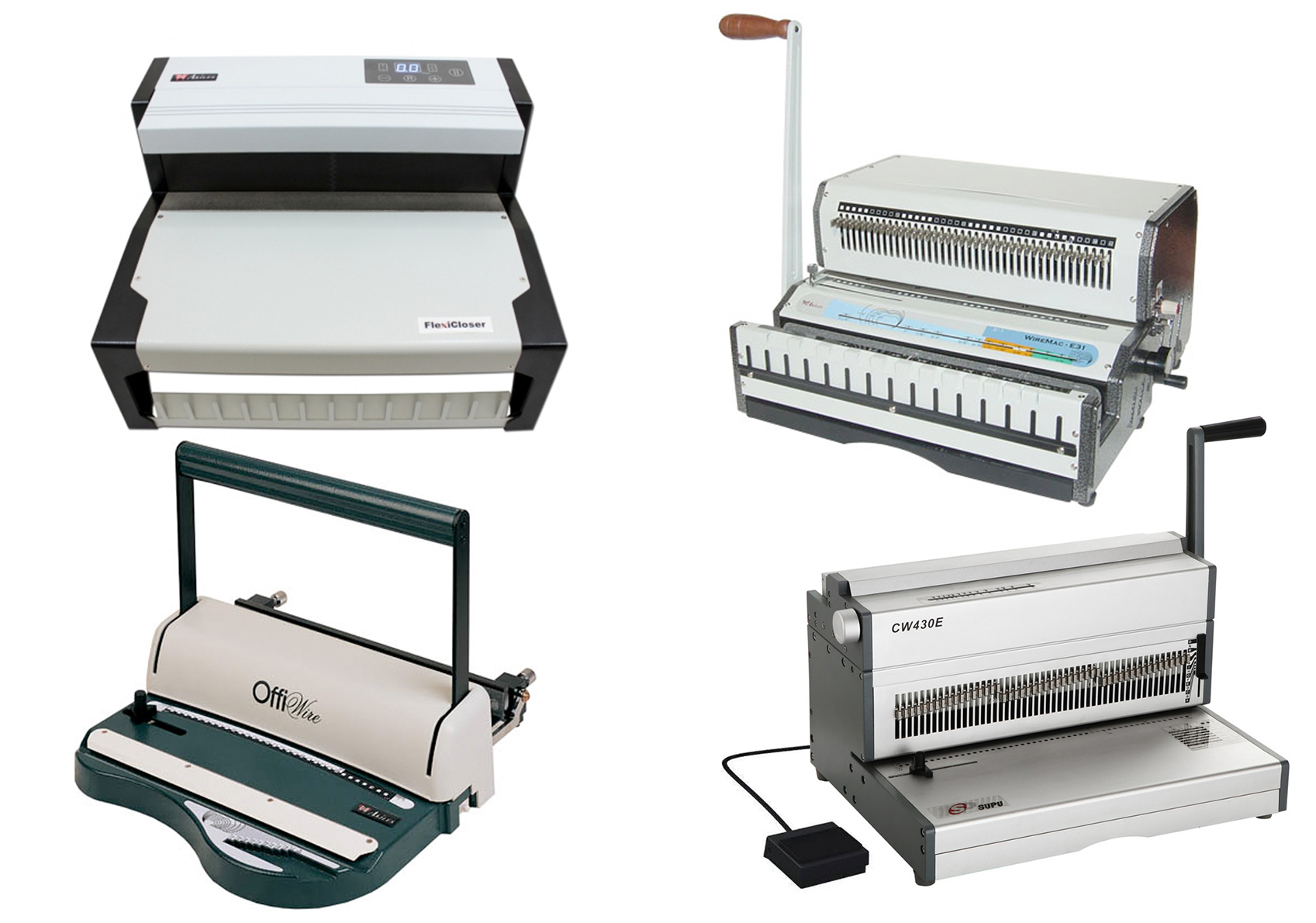
WireBind W20A Wire Binding Machine

Wire binding uses metal wires for stronger support. Pages open flat for easy reading.

Real estate offices often use wire binding for:

  • Property presentations
  • Client proposals
  • Agent reference guides

This binding type offers durability and a clean look.

Spiral Binding

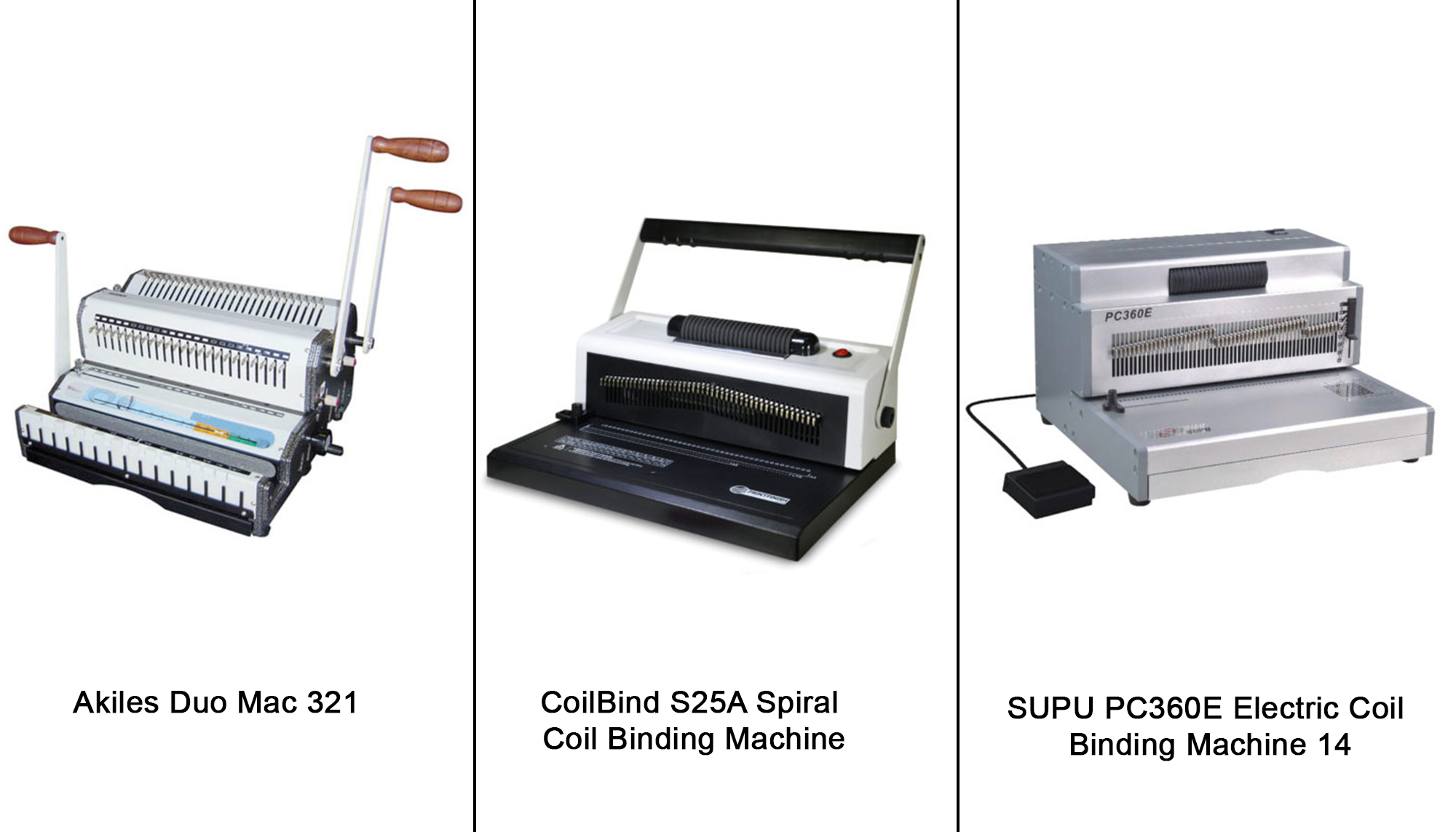
CoilBind S-25A Coil Binding Machine

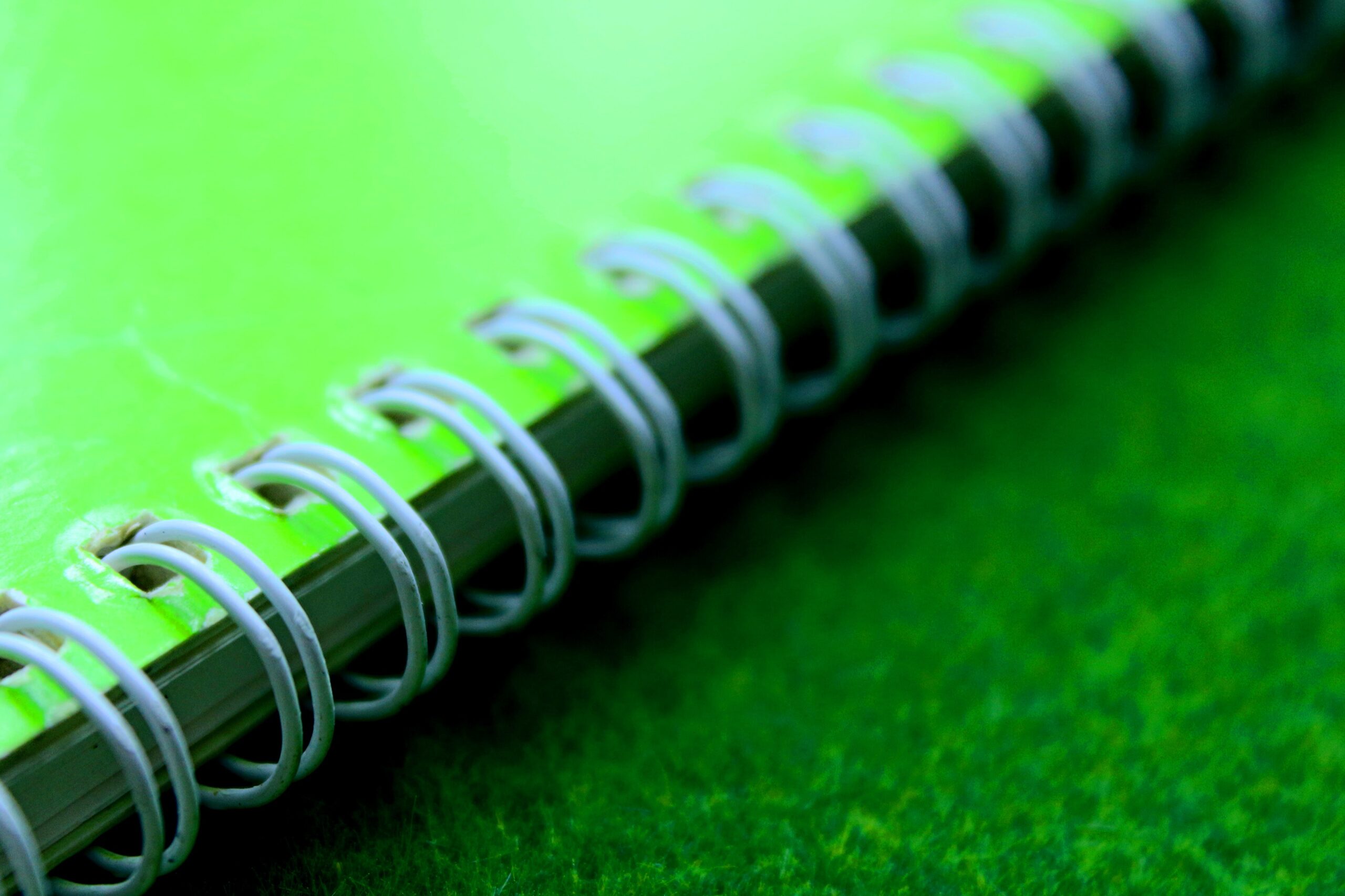
Coil or spiral binding uses plastic or metal coils. Pages can rotate fully without damage.

This method suits documents used during meetings or site visits. It allows easy handling and reading.

Thermal Binding

Thermal Binding with Laminator 12″ – LTB-200

Thermal binding uses heat to seal pages with adhesive covers. It creates a book-like finish.

Real estate offices use thermal binding for:

  • Final contract sets
  • Legal documentation
  • Formal client reports

This option gives a polished and professional result.

Perfect Binding

Perfect binding glues pages along the spine. It looks similar to a paperback book.

This method works well for:

  • Property marketing books
  • Annual market reports
  • Company portfolios

It improves branding and presentation quality.

How Binding Improves Daily Workflow

Binding supports smoother daily operations in real estate offices. It helps staff work faster and with fewer errors.

Bound documents reduce time spent searching for missing pages. Agents can review files quickly during meetings.

Binding also helps new staff learn faster. Organized documents improve training and reference use.

In addition, binding simplifies file transfer. Bound documents stay intact during handoffs between departments.

Equipment Used for Binding in Real Estate Offices

Real estate offices need reliable binding equipment. The right tools support consistent output.

Common equipment includes:

Choosing compact and easy-to-use machines works best for office settings.

Best Practices for Using Binding in Real Estate Offices

Effective binding requires clear procedures. Following best practices ensures long-term success.

Real estate offices should:

  • Standardize binding types for each document category
  • Label covers clearly with property and client details
  • Use protective covers for frequently handled files
  • Store bound documents upright to prevent damage
  • Review files regularly for completeness
  • Training staff on proper use also improves consistency.

Binding plays an important role in real estate offices. It supports organization, efficiency, and professionalism. From listing packets to legal contracts, binding keeps documents secure and easy to manage. Understanding binding systems and choosing the right methods improves daily workflow and client experience. With proper equipment and clear practices, real estate offices can manage documents more effectively. Binding remains a simple but valuable tool for successful real estate operations.


If you’re a business owner in the office, binding, printing or publishing industry, and you’re seeking the best binding machines to enhance your operations, look no further. Our selection of high-quality binding machines is designed to meet your specific needs. Whether you require the durability of case binding, the versatility of perfect binding, or the cost-effective benefits of saddle stitching, we have the right binding solution for you. Contact us today to explore our range of binding machines and take your business to the next level.

Category: Guide

Efficient Ways to Handle Bulk Printing Orders

Handling bulk orders in a printing business requires careful planning, the right equipment, and reliable supplies. Large printing orders can overwhelm staff and slow down operations if not managed well. By using proper systems, printing businesses can deliver high-quality prints on time while keeping costs under control. This article explores strategies, tools, and best practices for managing bulk printing orders efficiently.

Understanding Bulk Printing Orders

Bulk printing orders are large-volume requests from clients, such as brochures, flyers, booklets, or packaging materials. These orders often have tight deadlines, require precise finishing, and must meet strict quality standards. Understanding the client’s needs and planning resources is essential to avoid delays or mistakes.

Key aspects to consider in bulk printing orders:

  • Order quantity and type, such as brochures, labels, or posters
  • Paper quality, size, and finishing requirements
  • Delivery deadlines and shipping instructions
  • Budget considerations to optimize cost per unit

Planning for Bulk Printing Orders

Strapping Banding OPP Film Roll

Planning is critical to ensure that large printing jobs are completed accurately and on time. Printing businesses must prepare materials, staff, and equipment before production begins.

Steps for effective planning:

  1. Review the client’s order specifications carefully
  2. Ensure adequate stock of paper, ink, and finishing supplies
  3. Allocate staff for printing, finishing, and packing tasks
  4. Schedule machine time to meet deadlines efficiently
  5. Maintain extra inventory for urgent or last-minute orders

Proper planning prevents delays, reduces errors, and keeps customers satisfied.

Organizing the Printing Workflow

A smooth workflow is essential for bulk printing orders. Organizing printing jobs, prepress files, and finishing steps ensures faster turnaround.

Workflow tips include:

  • Sort orders by type, size, or deadline to prioritize production
  • Maintain separate areas for printing, cutting, and finishing
  • Use proper labeling for jobs to avoid mix-ups
  • Schedule machine maintenance to prevent downtime
  • Keep packing materials and shipping boxes near the finishing area

An organized workflow allows printing businesses to process large orders efficiently.

Using Strapping and Banding Supplies in Printing Orders

Sunpack WK02-30 Strapping Banding Machine
Sunpack WK02-30 Strapping-Banding-Machine Table-Top-Model

For large print orders, securing finished products is important. Strapping and banding prevent damage during storage and shipping. Printing businesses often use strapping banding machines for fast and consistent bundling.

Benefits of using strapping and banding machines:

  • Secure large stacks of printed materials
  • Reduce manual labor and save time
  • Maintain consistent tension for safe transport
  • Protect prints from shifting or bending

Essential strapping and banding supplies include:

Using these tools and supplies ensures printed materials stay intact until delivery.

Packing Strategies for Bulk Printing Orders

Proper packing protects printed materials and makes shipping easier. Printing businesses should match packing methods to product type and order volume.

Packing strategies:

  • Use sturdy boxes for books, brochures, and catalogs
  • Insert cardboard or foam sheets between stacks to prevent bending
  • Label boxes with product type, quantity, and client information
  • Include barcodes for easy tracking
  • Avoid overpacking to prevent damage and reduce shipping costs

These strategies help preserve print quality and simplify logistics.

Shipping and Logistics for Printing Orders

Choosing the right shipping method ensures printed materials reach clients safely and on time. Logistics planning is especially important for large-volume print jobs.

Shipping tips for printing orders:

  • Use pallets for heavy stacks of printed products
  • Consolidate multiple boxes for the same client to reduce handling
  • Track shipments in real-time for timely updates
  • Schedule reliable carriers for bulk deliveries
  • Consider protective packaging for delicate or high-end prints

Proper logistics prevent damage and ensure client satisfaction.

Tips to Reduce Errors in Bulk Printing Orders

Mistakes in bulk printing can lead to wasted materials and unhappy clients. Following proper procedures reduces errors.

Tips include:

  • Double-check proofs before printing large quantities
  • Verify order specifications and quantities
  • Inspect prints for quality before packing
  • Communicate clearly with team members
  • Conduct regular audits to identify process improvements

Reducing errors preserves print quality and strengthens client trust.


Handling bulk printing orders requires careful planning, proper equipment, and a trained team. Using strapping banding machines and supplies helps secure printed materials. Organizing workflow, packing efficiently, labeling accurately, and managing logistics ensures timely and safe deliveries. By following these strategies, printing businesses can fulfill large orders on time, maintain quality, and reduce costs, leading to satisfied clients and long-term growth.


For business owners seeking top-notch packaging supplies from a trusted source, now is the time to elevate your packaging game. Take advantage of our high-quality packaging machines and supplies. Don’t compromise on protection, presentation, or efficiency – choose excellence and secure your supply of premium packaging supplies today. Contact us to place your order and ensure your business stands out in terms of packaging and protection.

Category: Guide

What is Poster Marketing

Poster marketing remains one of the most effective ways to reach audiences and convey brand messages. Posters are visible, easy to distribute, and provide a tangible connection with customers. They allow businesses to showcase products, promote events, or raise awareness about services. With proper design and placement, posters can drive action and leave a lasting impression. This article explores what poster marketing is, its benefits, tips for using it effectively, and how large format printing enhances its impact.

What is Poster Marketing

Poster marketing is a type of print advertising that uses visually appealing posters to communicate messages to a target audience. Posters are typically designed to attract attention quickly, convey key information, and encourage action. They are used across industries including retail, education, healthcare, entertainment, and nonprofits.

The purpose of poster marketing can vary depending on the campaign:

  • Promote products or services – Retailers and businesses use posters to highlight offers, new arrivals, or seasonal promotions.
  • Raise awareness – Posters can communicate social, health, or environmental messages to the public.
  • Encourage attendance – Events, workshops, and conferences often rely on posters for promotion.
  • Strengthen branding – Posters reinforce logos, slogans, and visual identity in public spaces.

The key to successful poster marketing lies in combining strong visuals, clear messaging, and strategic placement.

Benefits of Poster Marketing

Poster marketing offers several advantages that make it a valuable part of any marketing strategy. Posters can reach audiences in a way digital campaigns cannot.

Here are some key benefits:

  • High visibility – Posters placed in high-traffic areas attract attention from many viewers.
  • Cost-effective – Compared to large-scale media campaigns, posters provide high impact at a lower cost.
  • Tangible presence – Physical posters offer a lasting presence that people can see, read, and share.
  • Targeted distribution – Posters can be placed strategically in locations frequented by your target audience.
  • Brand reinforcement – Repeated exposure to posters helps build brand recognition and trust.
  • Creative freedom – Businesses can experiment with colors, images, typography, and materials to stand out.

Poster marketing works best when combined with other forms of marketing, such as social media or email campaigns.

Large Format Printing and Poster Marketing

large format printing

Large format printing is a critical part of modern print marketing. It allows businesses to produce posters in bigger sizes without sacrificing quality. Large posters can be seen from a distance, making them ideal for outdoor advertising, retail displays, and event promotions.

Here are reasons why large format printing benefits poster marketing:

  • Enhanced visibility – Large posters grab attention even in crowded or busy areas.
  • High-quality graphics – Advanced printing ensures sharp images, vibrant colors, and professional results.
  • Durability – Large format prints often use materials resistant to moisture, sunlight, and wear.
  • Flexible materials – Posters can be printed on paper, vinyl, canvas, or synthetic materials depending on location and purpose.
  • Custom sizing – Large format printing allows creative layouts and unique poster dimensions to fit specific spaces.

Retailers, event organizers, and brands often use large format poster printing to maximize engagement and create memorable visual experiences.

Tips for Effective Poster Marketing

Effective poster marketing depends on thoughtful design, clear messaging, and strategic placement. Consider the following tips when planning a poster campaign:

Know your audience

Understand who you are targeting to design relevant visuals and messages.

Keep it simple

Use minimal text and focus on one clear message. Posters should be read and understood in seconds.

Use high-quality images

Blurry or pixelated graphics reduce credibility and fail to capture attention.

Leverage color and contrast

Bright, contrasting colors draw eyes and highlight key information.

Include a call-to-action

Tell the audience what to do next, such as visiting a store, attending an event, or scanning a QR code.

Place posters strategically

Choose locations with high foot traffic and relevance to your audience. Consider entrances, transit hubs, community centers, or retail areas.

Update regularly

Rotate posters for new promotions, seasons, or campaigns to maintain engagement and relevance.

Combine with digital campaigns

Adding QR codes or website links connects physical posters with online platforms for better tracking and engagement.

Common Mistakes to Avoid in Poster Marketing

Even experienced marketers can make mistakes that reduce the impact of posters. Avoid these common errors:

  • Overloading the poster with too much text or too many images.
  • Using small fonts that are hard to read from a distance.
  • Placing posters in low-visibility areas with minimal foot traffic.
  • Neglecting branding, which weakens recognition and credibility.
  • Ignoring print quality, leading to blurred or faded graphics.

Awareness of these mistakes helps ensure your poster campaigns deliver maximum results.

Creative Poster Marketing Ideas

Poster marketing allows for creativity in design, materials, and placement. Here are some innovative ideas to make posters more effective:

  • Interactive posters – Add QR codes, AR experiences, or scannable links.
  • Seasonal campaigns – Design posters around holidays, special events, or local trends.
  • Layered displays – Use multiple posters in a sequence to tell a story or highlight multiple products.
  • Eco-friendly prints – Use recycled paper or sustainable inks to appeal to environmentally conscious audiences.
  • Large installations – Combine multiple posters to create a mural or immersive display.

Creative approaches make posters stand out and improve audience engagement.

Best Large Format Printers for Poster Marketing

Here are some of the best large format printers available in 2025

TrueVIS XG-640

Roland DG TrueVIS XG-640 Printer/Cutter

The Roland TrueVIS XG-640 is a professional 64″ eco-solvent printer designed for high-quality large-format printing. It delivers vibrant colors, sharp details, and durable prints ideal for banners, signage, and vehicle graphics. Built for reliability and efficiency, it supports both indoor and outdoor marketing applications.

TrueVIS AP-640

TrueVIS AP 640 Resin Printer

The Roland TrueVIS AP-640 is a 64″ printer designed for high-quality, versatile large-format printing. It delivers vibrant colors, sharp images, and durable prints ideal for banners, posters, and signs. Its reliable performance makes it perfect for professional printing and marketing applications.

TrueVIS LG Series

Roland Model LG-640 / LG-540 / LG-300

The Roland TrueVIS LG Series is an eco-solvent printer built for high-quality, durable large-format printing. It produces vibrant colors and sharp graphics, making it ideal for banners, signage, and vehicle wraps. Designed for professional use, it delivers consistent performance and reliable results for marketing applications.

TrueVIS VG3 Series

TrueVIS VG3 Series Printers Cutters

The Roland TrueVIS VG3 Series is a professional printer-cutter available in 54″ and 64″ models, designed for high-quality large-format printing. It delivers vibrant colors, precise contour cutting, and durable prints for signs, banners, vehicle wraps, and decals. Built for reliability and efficiency, it supports professional workflows and high-volume production.

Poster marketing remains an effective tool for businesses and organizations seeking visibility, engagement, and brand reinforcement. With clear messaging, creative design, and strategic placement, posters can influence behavior and increase customer interaction. Large format printing enhances this impact by providing high-quality, durable visuals that stand out in crowded spaces. By combining poster marketing with other channels like digital platforms, businesses can create integrated campaigns that reach broader audiences and leave a lasting impression.


Are you in the process of starting or expanding your large format printing business and in need of expert guidance on purchasing the right printing machine? Look no further! Our team of industry experts is here to provide you with valuable insights and expert opinions to help you make the best decision for your business. With a deep understanding of the large format printing industry, we can assist you in selecting the ideal printing machine that meets your specific requirements and budget. Contact us today for a personalized consultation and let us help you make the right investment for your business’s growth and prosperity.

Category: Guide

How to Prevent Common Vinyl Printing Problems

Vinyl printing is a versatile technique used across apparel, signage, and promotional products. It produces vibrant, durable designs. However, many new users encounter problems that affect quality. Understanding these challenges and their solutions can save time, materials, and money. This guide will help you identify, prevent, and fix common vinyl printing issues.

Quick Overview of Vinyl Printing

Vinyl printing uses cut or heat-transfer vinyl to apply designs to surfaces. The process often involves a vinyl cutter, heat press, and software for design layout. Users select vinyl based on durability, texture, and color. Heat or adhesive bonds the vinyl to the substrate. It works on fabrics, plastics, and other smooth surfaces. Vinyl printing offers sharp details and long-lasting results.

Choosing the Right Vinyl for Your Project

Selecting the wrong vinyl is a common source of issues. Start by understanding your project needs.

  • Consider the substrate. Fabric, metal, and plastic require specific vinyl types.
  • Check vinyl thickness. Thin vinyl may tear; thick vinyl may not press properly.
  • Match vinyl finish with project style. Glossy vinyl looks bright, while matte vinyl reduces glare.
  • Verify heat tolerance. Some vinyl shrinks or melts under high temperatures.

Choosing the right vinyl ensures proper adhesion, long-lasting designs, and a smooth workflow.

Proper Surface Preparation

A clean, smooth surface is essential. Dust, oils, or moisture can prevent proper adhesion.

  • Wipe surfaces with a lint-free cloth before applying vinyl.
  • Avoid using abrasive cleaners that may damage the substrate.
  • Test adhesion on a small, hidden area if unsure.
  • Allow surfaces to dry completely before pressing vinyl.

Proper surface preparation reduces peeling, bubbling, and uneven results.

Avoiding Air Bubbles and Wrinkles

Air bubbles and wrinkles reduce print quality and can lead to peeling. Prevent them during application.

  • Use a squeegee or scraper to apply vinyl smoothly.
  • Start pressing from the center and move outward to push air out.
  • Apply slow, steady pressure instead of quick smears.
  • For larger designs, work in sections to maintain even adhesion.

Smooth application improves durability and gives a professional appearance.

Proper Alignment and Placement

Misaligned vinyl creates uneven or off-center designs. Always plan placement carefully.

  • Use measurement tools like rulers or tape for accurate positioning.
  • Create a small guide mark on the substrate for alignment.
  • Consider symmetry and design orientation before pressing.
  • Check placement under good lighting to avoid errors.

Correct placement ensures professional results and reduces wasted material.

Cleaning and Maintenance of Tools

Dirty tools affect vinyl quality. Regular maintenance keeps equipment in top condition.

  • Clean cutting blades to prevent tearing or jagged edges.
  • Remove adhesive residue from heat press surfaces.
  • Check vinyl cutter calibration for accurate cuts.
  • Do regular maintenance on printers.

Proper tool maintenance reduces errors and increases efficiency.

Avoiding Stretching and Shrinking

Vinyl can stretch, shrink, or warp if applied incorrectly to hard or smooth surfaces. Proper handling prevents deformation and ensures a clean finish.

  • Avoid pulling or stretching vinyl when applying to curves or edges.
  • Apply slowly and evenly to prevent wrinkles or distortion.
  • Use the correct vinyl type for the surface material to prevent shrinkage.
  • Allow vinyl to settle and adhere fully before removing transfer tape.

Careful handling maintains sharp edges, smooth surfaces, and long-lasting adhesion.

Storage and Shelf Life of Vinyl

Vinyl quality decreases over time if stored improperly. Always follow storage recommendations.

  • Keep vinyl rolls in a cool, dry place.
  • Avoid direct sunlight, which can fade or warp vinyl.
  • Store rolls vertically to prevent flattening or creasing.
  • Maintain consistent temperature and humidity levels in storage areas.

Proper storage prevents brittle, discolored, or unusable vinyl.

Common Troubleshooting Tips

Even with careful preparation, issues can happen when applying vinyl. Knowing how to fix them saves time and materials.

  • If vinyl peels, ensure the surface is clean, dry, and smooth before application.
  • Remove air bubbles by gently lifting the vinyl and smoothing it with a squeegee or a soft card.
  • For tearing or jagged edges, check blade sharpness and cutting depth.
  • Uneven adhesion may require reapplying vinyl or using a stronger adhesive vinyl type.
  • Always test before completing large batches. Small errors early can become bigger problems.
  • Print test pieces to check temperature and pressure settings.
  • Inspect small details for proper adhesion and accuracy.
  • Make adjustments based on results before full production.
  • Document settings for repeatable, consistent results.

Quick troubleshooting keeps projects on schedule and maintains a professional appearance.

Top Uses for Vinyl Printing

Vinyl Cutting Products

Vinyl printing offers versatile, durable, and high-quality results, making it ideal for many creative and commercial projects. Its ability to produce vivid graphics and precise details makes it a popular choice across industries. Below are some of the top ways vinyl printing is applied:

Signage and Banners

Vinyl printing is widely used to create impactful banners and outdoor signs. Its bright colors and sharp graphics attract attention at events, trade shows, or promotional campaigns.

Vehicle Graphics

Businesses often use vinyl printing to design vehicle wraps. These wraps turn cars, vans, and trucks into moving advertisements while protecting the original paint from scratches and sun damage.

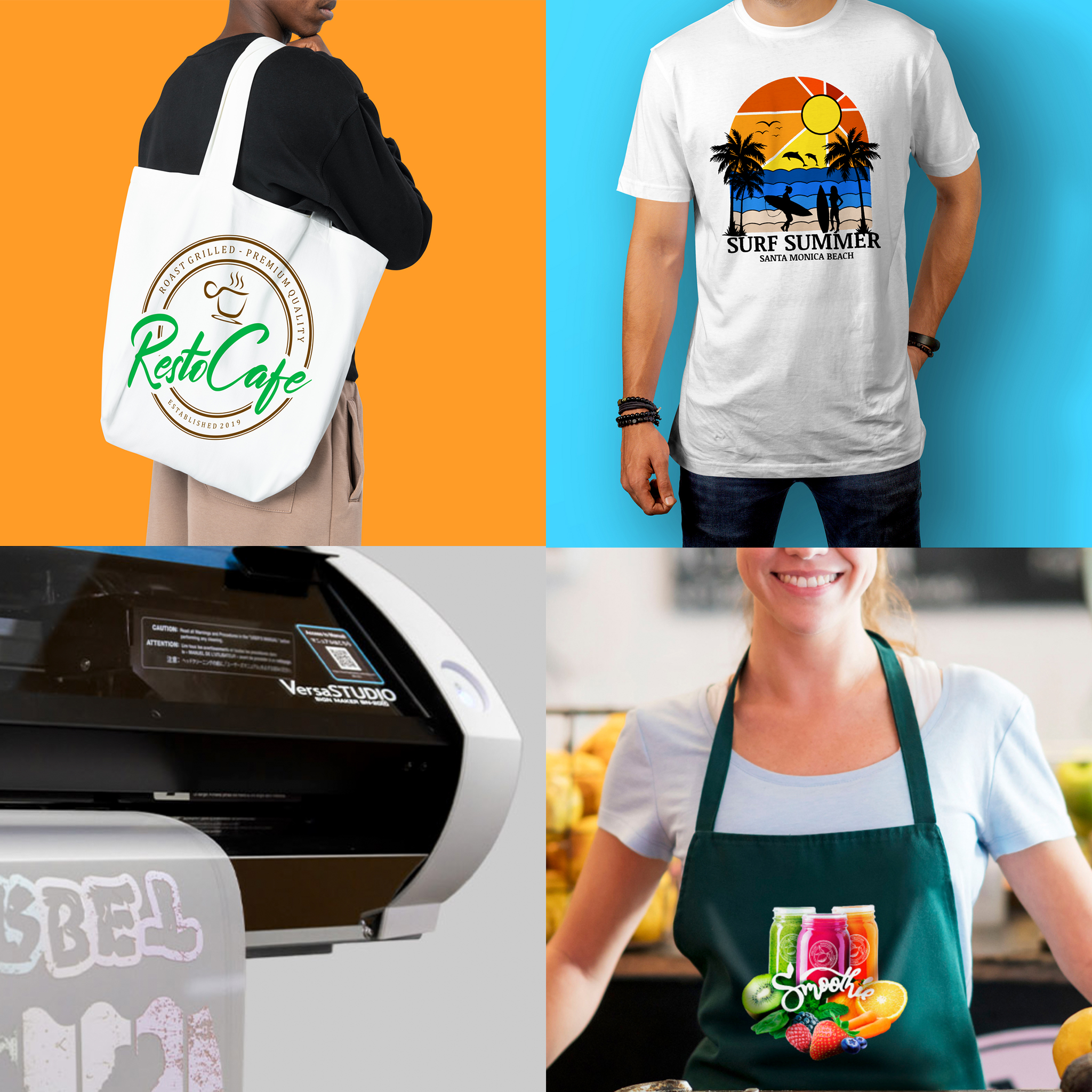
Custom Apparel

Vinyl prints are frequently applied to clothing such as hoodies, jerseys, and t-shirts. Sports teams, organizations, and individuals use them for personalization and team branding.

Home and Interior Décor

Vinyl decals can easily transform walls, furniture, and other surfaces. From inspirational quotes to detailed designs, vinyl adds style and personality to living spaces.

Window and Glass Graphics

Vinyl films with different opacity levels are used on windows for decorative or promotional purposes. They can provide privacy, display information, or enhance storefront aesthetics.

Stickers and Labels

Vinyl printing produces high-quality stickers and labels for products, packaging, or personal use. It ensures durability and sharp graphics for small or detailed designs.

Floor and Directional Graphics

Vinyl is ideal for floor graphics in retail stores, exhibitions, and events. These graphics guide foot traffic, highlight promotions, or create engaging visual effects.

Arts and Crafts

Artists and hobbyists use vinyl to create designs for scrapbooking, card making, and other creative projects. It allows for precision cutting and layering for intricate effects.

Safety and Instructional Signs

Weather-resistant vinyl is perfect for outdoor safety signs and workplace instructions. It can withstand harsh conditions while remaining readable and durable.

Branded Promotional Products

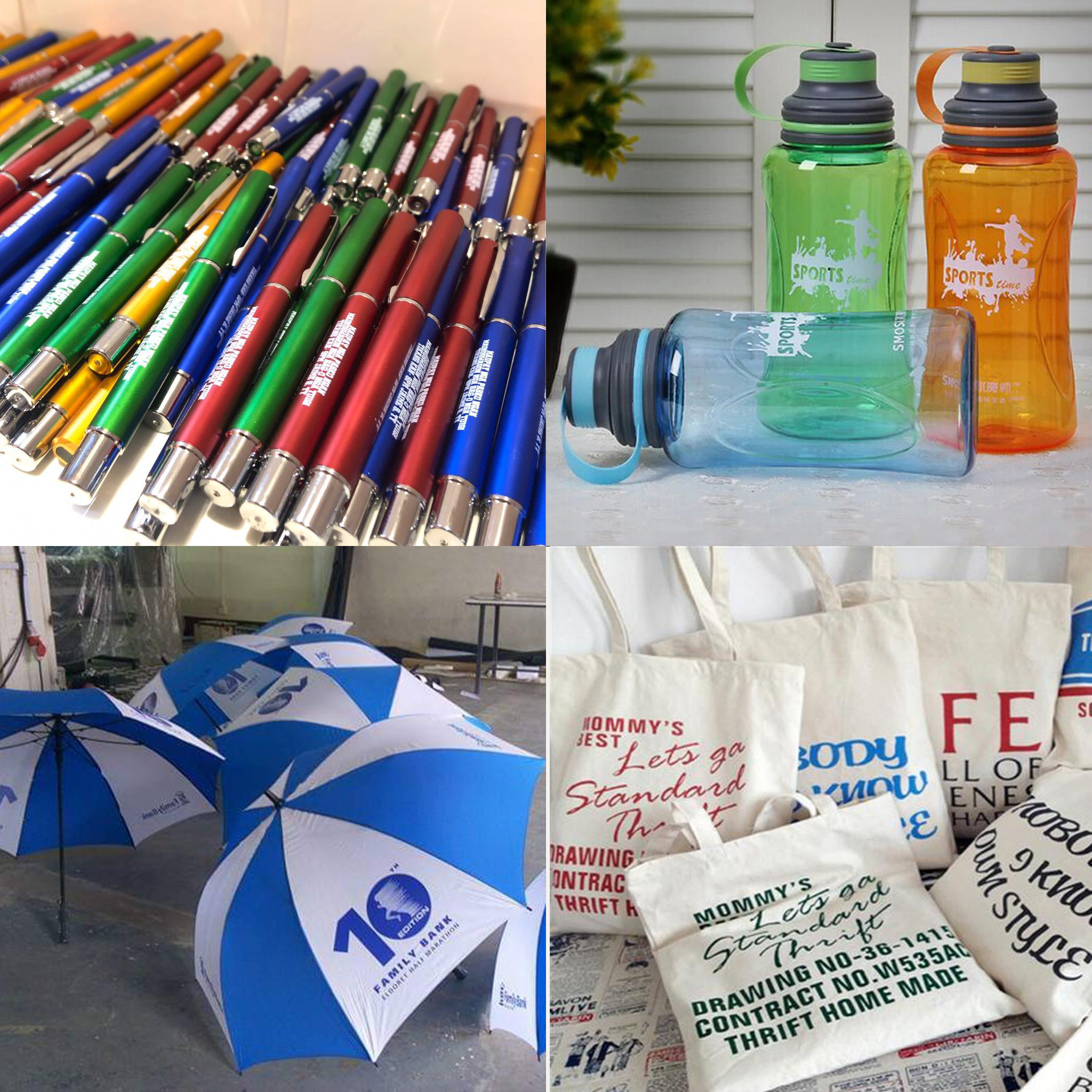
Vinyl can be applied to items like mugs, water bottles, and phone cases. These customized products are excellent for giveaways, events, and marketing campaigns.

The wide range of vinyl printing applications demonstrates its flexibility and value. From business advertising to home décor, vinyl printing enables creative, professional, and personalized solutions for countless projects.

Best Equipment for Vinyl Printing

Printers for Wide Format Printing 2

Regarding vinyl printing, precision, reliability, and versatility are key factors for achieving outstanding results. Roland DG Solutions offers a range of printers that excel in vinyl printing applications. Here are some of the best Roland DG printers for vinyl printing:

TrueVIS VG3 Series Printers/Cutters

TrueVIS VG3 Series Printers Cutters

The TrueVIS VG3-540 / VG3-640 Series Printers Cutters combine cutting-edge printing technology with precise cutting capabilities, delivering outstanding graphics and designs with vivid colours and exceptional precision.

Roland VersaSTUDIO BN2 Series Desktop Printer/Cutters

Roland VersaSTUDIO BN2 Series Desktop Printer/Cutters

The VersaSTUDIO BN2 Desktop Printer/Cutters offers a compact yet powerful solution for high-quality printing and precise cutting, making it perfect for small businesses and creative endeavours. Its versatile capabilities and user-friendly design make it an ideal choice for producing a variety of graphics and designs with exceptional detail and colour.

TrueVIS AP-640

Roland TrueVIS AP-640

The TrueVIS AP-640 blends the rapid drying and eco-friendly attributes of resin printing with the remarkable colour rendition, user-friendly operation, and dependable performance synonymous with TrueVIS Series printers

Roland Model LG-640 / LG-540 / LG-300

Roland Model LG-640 / LG-540 / LG-300

The Roland TrueVIS LG Series is designed to deliver high-quality UV printing on a variety of rigid and flexible substrates, allowing businesses to produce stunning graphics, signage, and promotional materials. With their advanced UV ink technology and precise printing capabilities, these printers offer exceptional colour accuracy, durability, and versatility, making them ideal for a wide range of applications in the graphics and printing industry.

MG Series UV Printer/Cutters – MG-300 / MG-640

MG Series UV Printer/Cutters - MG-300 / MG-640
MG Series UV Printer/Cutters – MG-300 / MG-640

The Roland TrueVIS MG Series are highly versatile machines that combine UV printing and precise cutting capabilities, making them ideal for a wide range of applications, including vinyl printing.

Vinyl printing is rewarding but requires careful attention to detail. Selecting the right vinyl, preparing surfaces, and using correct settings ensures high-quality results. Regular maintenance, testing, and safety precautions prevent common errors. By following these tips, users can produce professional designs consistently, reduce material waste, and maintain a smooth workflow. Success in vinyl printing depends on planning, precision, and patience.


If you’re envisioning a successful venture in the world of vinyl printing, look no further. PRINTFINISH is here to support your journey every step of the way. Let’s turn your vinyl printing business into a thriving reality. Contact us today to explore the endless possibilities that vinyl printing can offer your enterprise.

Category: Guide

How to Fix Common Large Format Printing Issues

Large format printing is widely used for banners, signage, posters, wall graphics, and displays. It allows businesses to produce bold visuals that attract attention and support branding efforts. However, large format printing also comes with technical challenges that can affect print quality, production speed, and costs. Understanding how to solve these common issues helps reduce waste, improve consistency, and maintain professional results. This article explains practical solutions to the most frequent problems encountered in large format printing.

What Is Large Format Printing

large format printing

Large format printing is a printing process designed for oversized materials beyond standard printer sizes. It uses specialized printers that handle wide media and high-resolution output. These printers work with materials such as vinyl, canvas, fabric, paper, and rigid boards. Industries like advertising, retail, construction, and events rely on large format printing for visual communication and promotion.

Improving Image Resolution Issues

Low image resolution is a common issue when printing large graphics. Solving this problem starts with proper file preparation.

  • Use high-resolution images suitable for large-scale output.
  • Avoid enlarging small images beyond their original size.
  • Request original design files instead of compressed images.
  • Check resolution before printing to prevent pixelation.

Clear and sharp images ensure professional-looking prints at any size.

Fixing Colour Inconsistency Problems

Roland Eco-UV Ink Cartridges

Colour differences between screen and print can frustrate both printers and clients. Correct colour management helps achieve accurate results.

  • Convert files from RGB to CMYK before printing.
  • Calibrate monitors regularly to match print output.
  • Use correct ICC colour profiles for each printer and media.
  • Perform test prints to verify colour accuracy.

Consistent colour control improves brand reliability and visual appeal.

Preventing Banding and Streaking

Banding and streaking reduce print quality and signal printer issues. Regular maintenance and correct settings help prevent these defects.

  • Clean print heads according to manufacturer guidelines.
  • Adjust print speed settings for smoother ink distribution.
  • Use recommended ink and media combinations.
  • Run nozzle checks before starting large print jobs.

These steps help maintain smooth and even print output.

Reducing Ink Smudging and Bleeding

Ink smudging and bleeding occur when ink fails to dry or adhere properly. Adjusting materials and environment solves this issue.

  • Select ink types compatible with the chosen media.
  • Reduce ink density when printing on absorbent materials.
  • Allow sufficient drying or curing time before handling prints.
  • Control humidity levels in the printing area.

Proper ink control ensures clean edges and sharper designs.

Solving Media Feeding Problems

Printer - Paper Jamming

Media feeding issues cause misalignment and wasted materials. Proper setup and handling reduce these problems.

  • Load media straight and secure it correctly.
  • Adjust tension settings based on material thickness.
  • Inspect rollers for dirt or wear regularly.
  • Store media rolls properly to prevent warping.

Correct feeding ensures accurate and consistent print alignment.

Choosing Compatible Materials

Material compatibility directly affects print quality and durability. Using the right materials prevents many common failures.

  • Match ink types with approved media surfaces.
  • Test new materials before full production runs.
  • Avoid low-quality substrates that absorb ink unevenly.
  • Follow manufacturer recommendations for media use.

Compatible materials improve colour vibrancy and print lifespan.

Preventing Ink Clogging and Print Head Damage

Ink clogging reduces output quality and increases maintenance costs. Preventive care keeps print heads functioning properly.

These practices extend print head life and improve consistency.

Correcting File Setup and Scaling Errors

File setup mistakes lead to incorrect sizing and cut-off designs. Proper preparation avoids costly reprints.

  • Set the correct document size and scale before exporting files.
  • Include bleed and crop marks when required.
  • Outline fonts to prevent text issues.
  • Double-check dimensions against final output size.

Accurate file setup saves time and materials.

Managing Drying and Curing Time

Slow drying can delay production and damage finished prints. Planning and environmental control reduce curing problems.

  • Allow recommended drying time for each ink type.
  • Avoid stacking prints immediately after printing.
  • Maintain proper airflow around printed materials.
  • Adjust ink limits to reduce excessive ink buildup.

Controlled drying ensures clean and durable prints.

Controlling Environmental Conditions

Temperature and humidity affect both printers and materials. Managing the print environment improves reliability.

  • Maintain stable temperature levels in the print room.
  • Keep humidity within recommended ranges.
  • Reduce dust and airborne particles near printers.
  • Use climate control systems when necessary.

A stable environment supports consistent print quality.

Improving Finishing and Installation Results

Poor finishing reduces the value of large format prints. Careful handling improves the final presentation.

  • Apply lamination evenly to prevent bubbles.
  • Use proper cutting tools for clean edges.
  • Choose adhesives suited to the installation surface.
  • Train installers on correct mounting techniques.

Good finishing enhances durability and visual impact.

Maintaining Large Format Printing Equipment

Roland TrueVIS Pro XP-640

Regular maintenance prevents breakdowns and production delays. A consistent care routine improves machine performance.

  • Follow scheduled maintenance tasks from the manufacturer.
  • Inspect parts for wear and replace them early.
  • Clean internal components regularly.
  • Keep maintenance logs for tracking issues.

Proper upkeep reduces downtime and repair costs.

Managing Costs and Reducing Waste

Large format printing can become expensive without proper control. Smart planning helps reduce unnecessary expenses.

  • Perform test prints before full production.
  • Monitor ink usage and adjust settings.
  • Reuse leftover materials when possible.
  • Schedule jobs efficiently to reduce setup waste.

Cost management improves profitability and efficiency.

Improving Workflow and Quality Control

A smooth workflow reduces errors and delays. Clear processes improve output consistency.

  • Standardize file preparation procedures.
  • Assign quality checks at each production stage.
  • Document settings for repeat jobs.
  • Communicate clearly with clients about requirements.

Strong workflows ensure reliable and repeatable results.

Solving common issues in large format printing requires attention to preparation, equipment, materials, and environment. Problems such as colour inconsistency, banding, media feeding errors, and ink issues can be minimized through proper setup and maintenance. By following best practices and preventive measures, businesses can improve print quality, reduce waste, and meet production deadlines. With the right approach, large format printing becomes a dependable and effective solution for visual communication.


Are you in the process of starting or expanding your large format printing business and in need of expert guidance on purchasing the right printing machine? Look no further! Our team of industry experts is here to provide you with valuable insights and expert opinions to help you make the best decision for your business. With a deep understanding of the large format printing industry, we can assist you in selecting the ideal printing machine that meets your specific requirements and budget. Contact us today for a personalized consultation and let us help you make the right investment for your business’s growth and prosperity.

Category: Guide

Effective Document Binding in Government Agencies

Government offices handle large volumes of important documents daily. Reports, contracts, permits, regulations, and public records must stay organized, secure, and accessible. Mismanaged files can lead to delays, errors, or loss of critical information. Binding systems provide a practical solution to organize and preserve these documents. They help government employees maintain order, ensure compliance, and present professional records. This article explores binding in government offices, including an overview of binding systems and recommended methods for effective document management.

What Is a Binding System

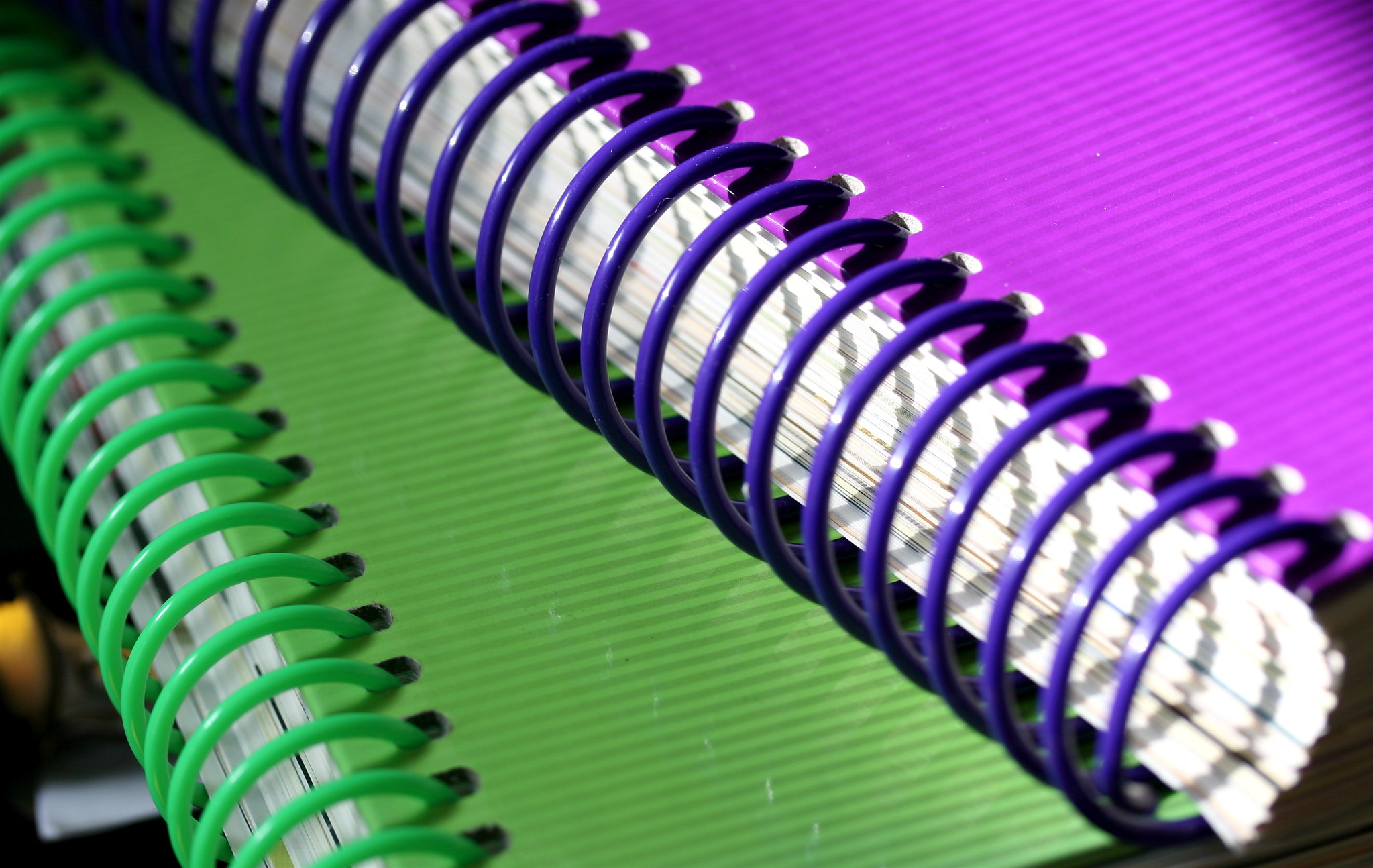
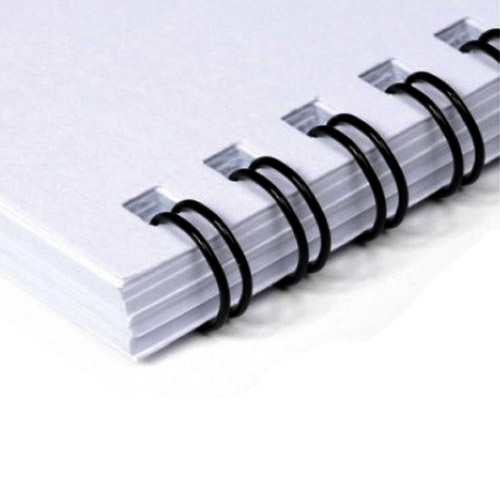
Difference Between Coil Comb and Wire Bindings

A binding system is a method of securing multiple sheets of paper into a single, cohesive document. Binding keeps papers intact, organized, and easy to handle.

Government offices rely on binding systems for several reasons:

  1. Organization: Group related documents into one unit for easy access.
  2. Protection: Prevents important files from tearing, getting lost, or damaged.
  3. Professional Presentation: Makes official reports, contracts, and records look polished.
  4. Ease of Storage: Bound documents are simpler to store, transport, and archive.

Binding systems use different techniques and equipment depending on document type, volume, and usage frequency.

Importance of Binding in Government Offices

Proper binding plays a critical role in government offices. Documents often need to be preserved for years or decades. Loose papers can be easily misplaced, causing administrative problems or legal issues.

Binding ensures records like financial reports, court documents, project files, and internal memos remain intact and accessible. It also streamlines workflow by making retrieval faster and more efficient.

In addition, bound documents maintain consistency in appearance, which reflects professionalism during audits, public submissions, or inter-office communications.

Different Types of Binding for Government Offices

Types of binding

Government offices use various binding techniques depending on document needs. Each type offers specific advantages.

Comb Binding: Uses plastic combs to secure sheets. Allows adding or removing pages. Ideal for reports, manuals, and policy documents.

Wire Binding: Metal wire holds pages securely. Pages can lay flat for easier reading. Suitable for official manuals and project files.

Coil or Spiral Binding: Plastic or metal spirals rotate fully. Useful for instructional guides or training manuals.

Thermal Binding: Heat-activated glue secures pages into a softcover or hardcover. Perfect for formal reports and legal files.

Choosing the right binding method depends on the document’s importance, frequency of use, and storage requirements.

Best Binding System for Government Offices

CombBind C20A Comb Binding Machine

Selecting the best binding system ensures government documents remain organized and protected. Key considerations include durability, accessibility, and volume.

  • For High-Volume Reports: Wire or comb binding provides strong, reusable solutions. Easy to store and retrieve frequently used files.
  • For Official Publications: Thermal or perfect binding gives a professional finish. Suitable for annual reports, policy manuals, and handbooks.
  • For Training or Instructional Materials: Spiral binding allows pages to open fully for practical use. Ideal for workshops or departmental training.
  • For Temporary or Frequently Updated Files: Comb binding allows easy addition or removal of pages. Useful for project files or ongoing records.
  • For Archival Records: Durable thermal binding or perfect binding ensures documents remain intact for long-term storage.

Using the right system minimizes damage, prevents loss, and increases efficiency across departments.

Equipment Needed for Binding in Government Offices

CoilBind S-25A Spiral Coil Binding Machine with Free Crimpers
CoilBind S-25A Spiral Coil Binding Machine

Government offices require reliable and user-friendly equipment for binding tasks. Choosing the right tools ensures smooth operations and high-quality output.

Investing in quality equipment reduces errors, saves time, and enhances the appearance of bound documents.

Best Practices for Binding Government Documents

Proper binding requires planning and consistency. Following best practices ensures efficiency and protects critical records.

  1. Label Clearly: Every bound file should have clear titles, dates, and reference numbers.
  2. Group by Category: Organize documents by department, project, or client for faster retrieval.
  3. Maintain Uniformity: Use the same binding type and size for similar documents to reduce confusion.
  4. Store Properly: Keep bound files upright in cabinets or shelves to prevent damage.
  5. Update Training: Staff should know how to use machines correctly and follow filing standards.
  6. Audit Regularly: Check files periodically to ensure documents remain complete and in order.

These practices help government offices maintain compliance, streamline workflow, and protect sensitive information.

Binding is a vital part of document management in government offices. It keeps files organized, secure, and professional. Using the right binding system and equipment ensures documents remain accessible, durable, and presentable. From comb binding for project files to thermal binding for formal reports, each technique serves a purpose. Government offices benefit from proper filing and binding by saving time, reducing errors, and maintaining professional standards. Implementing consistent practices and reliable equipment creates an efficient and effective filing system for any government department.


Are you a business owner in search of reliable coil-binding machines to streamline your document-binding needs? Look no further. Discover the perfect coil binding solution for your organization today by exploring our range of top-quality machines. Contact us now to find the ideal coil binding machine that meets your specific requirements and witness the difference it can make for your business.